Testing
Heuristic Evaluation
Task 1 — Start and Complete a Ride
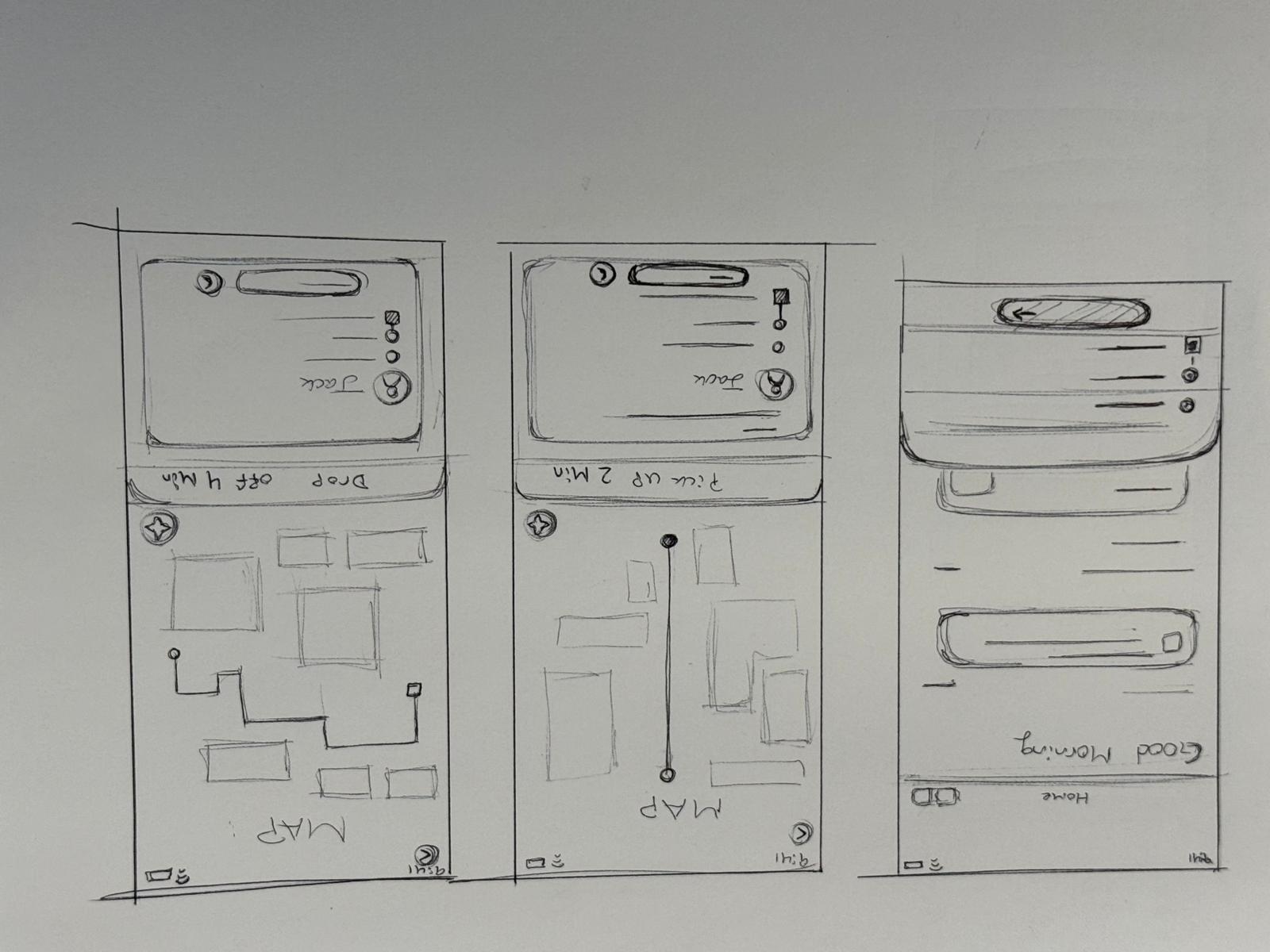
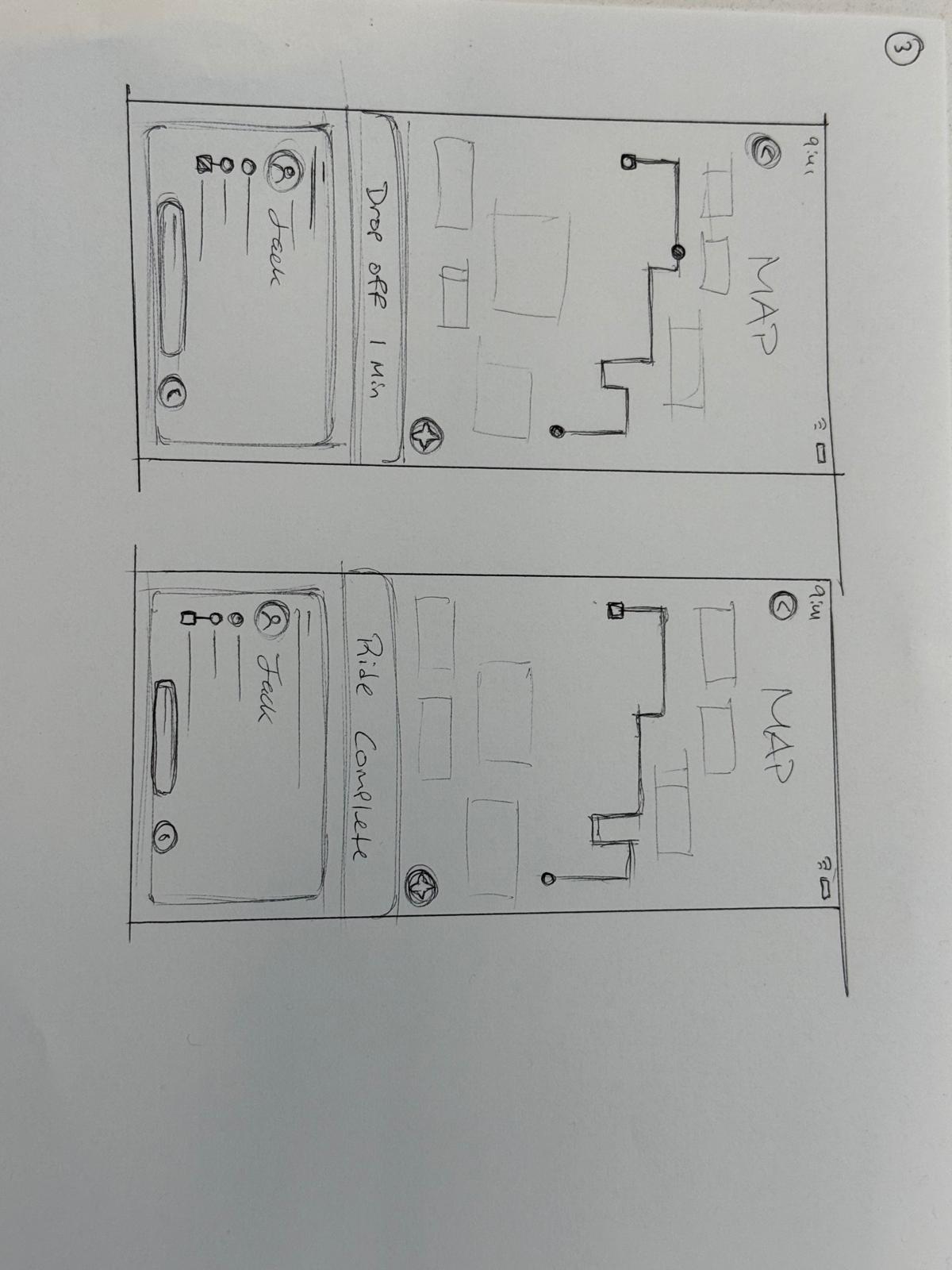
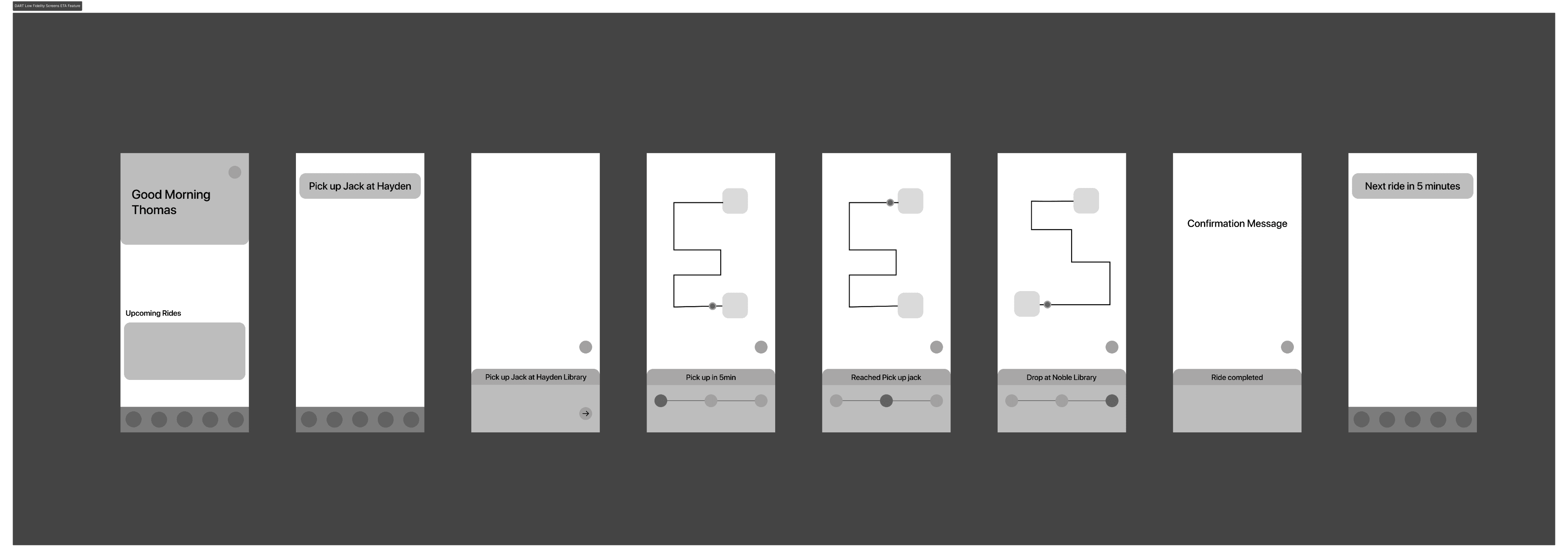
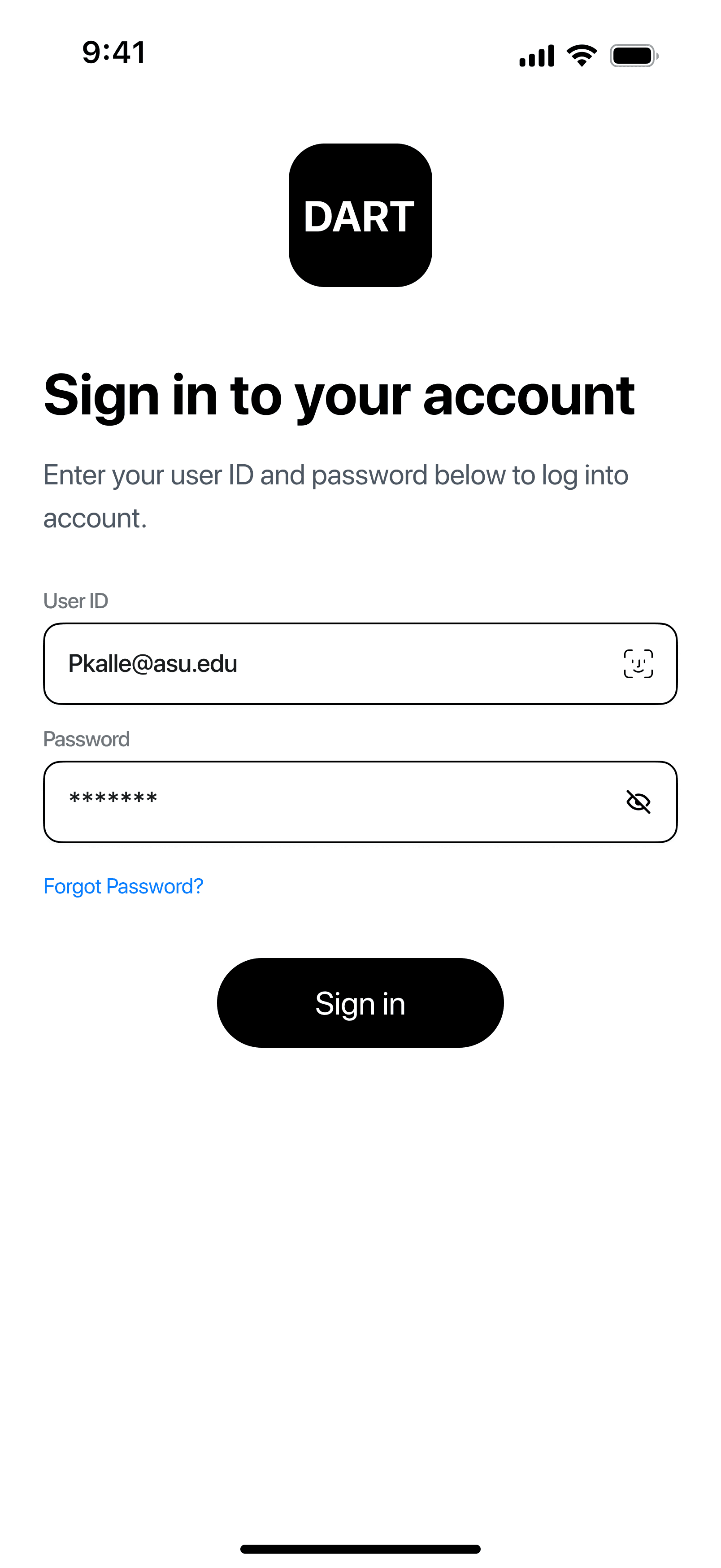
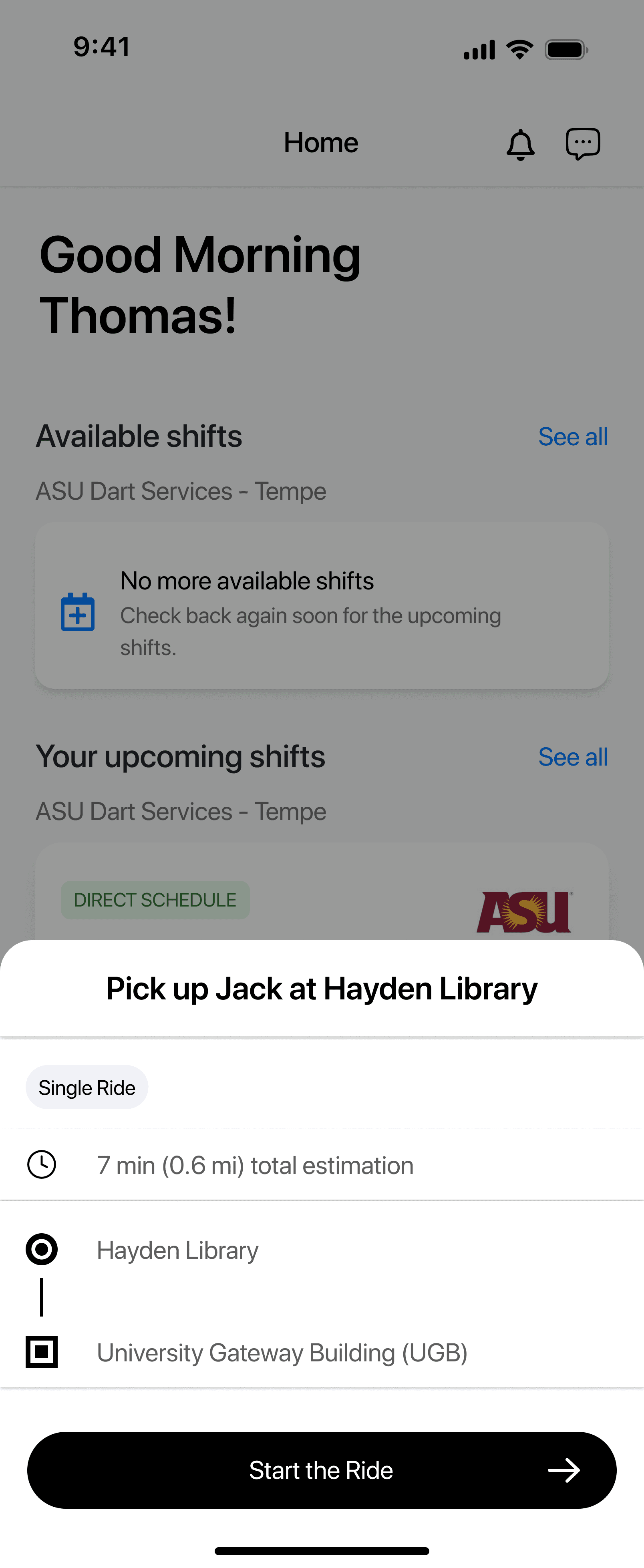
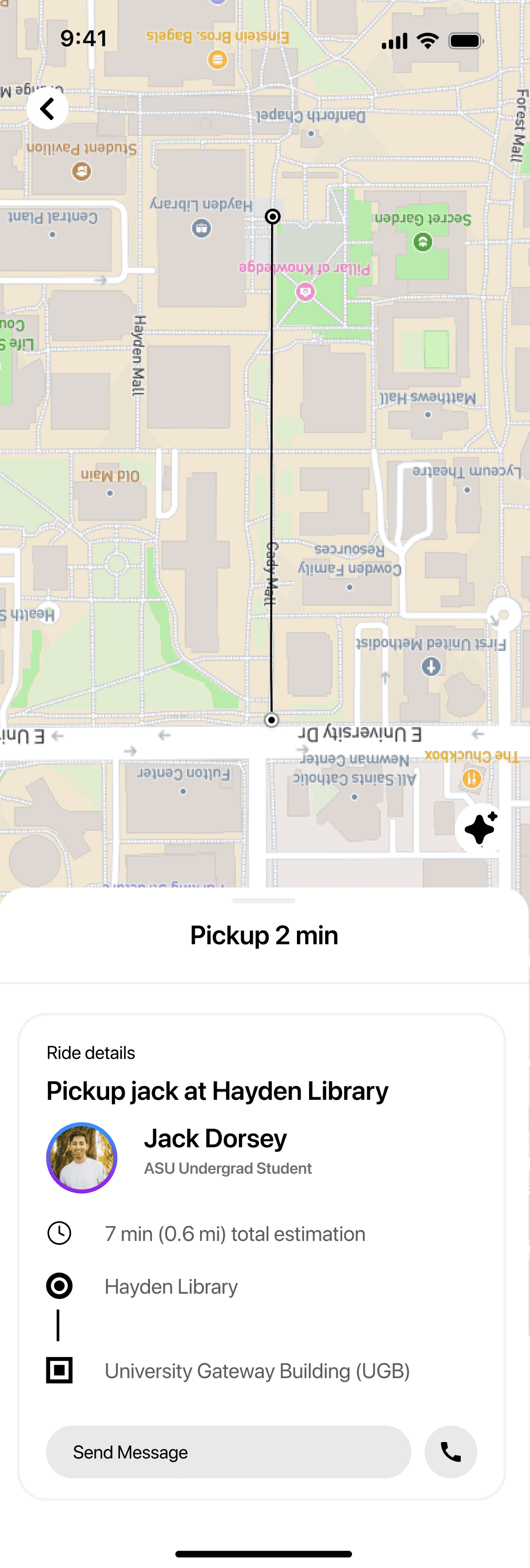
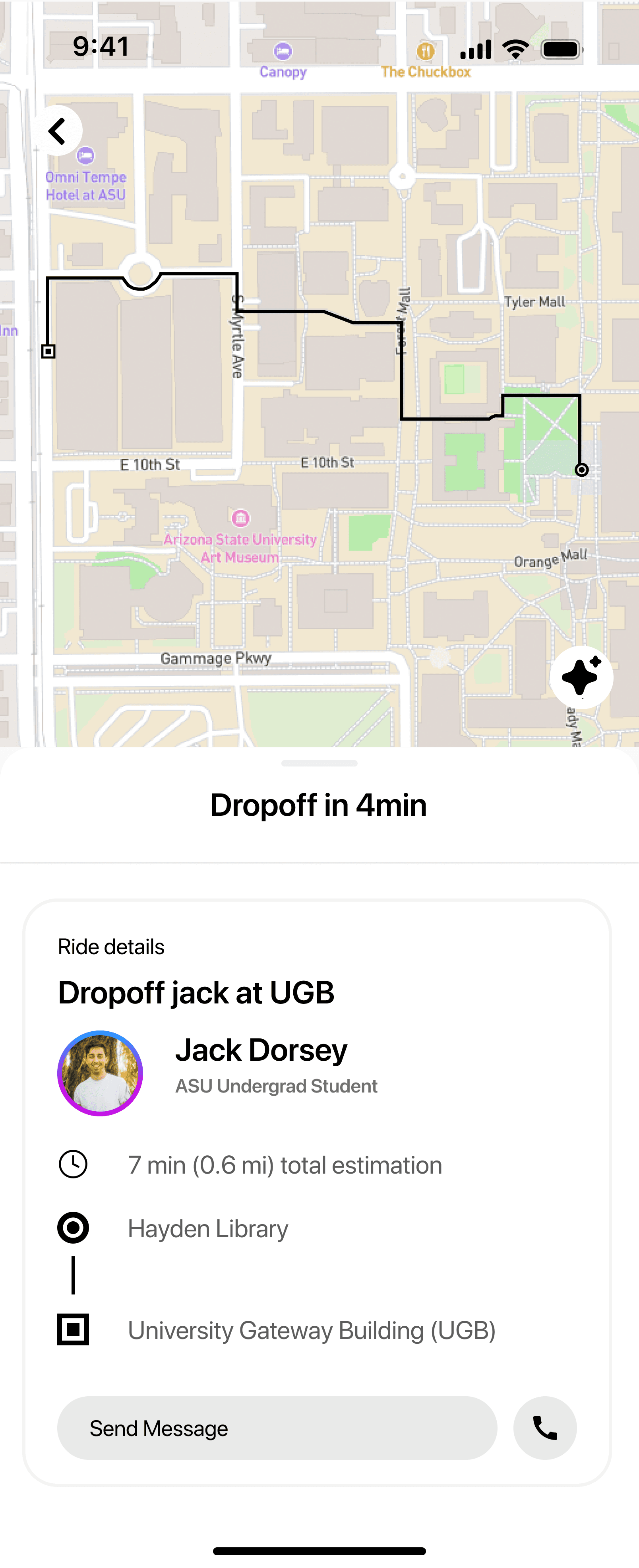
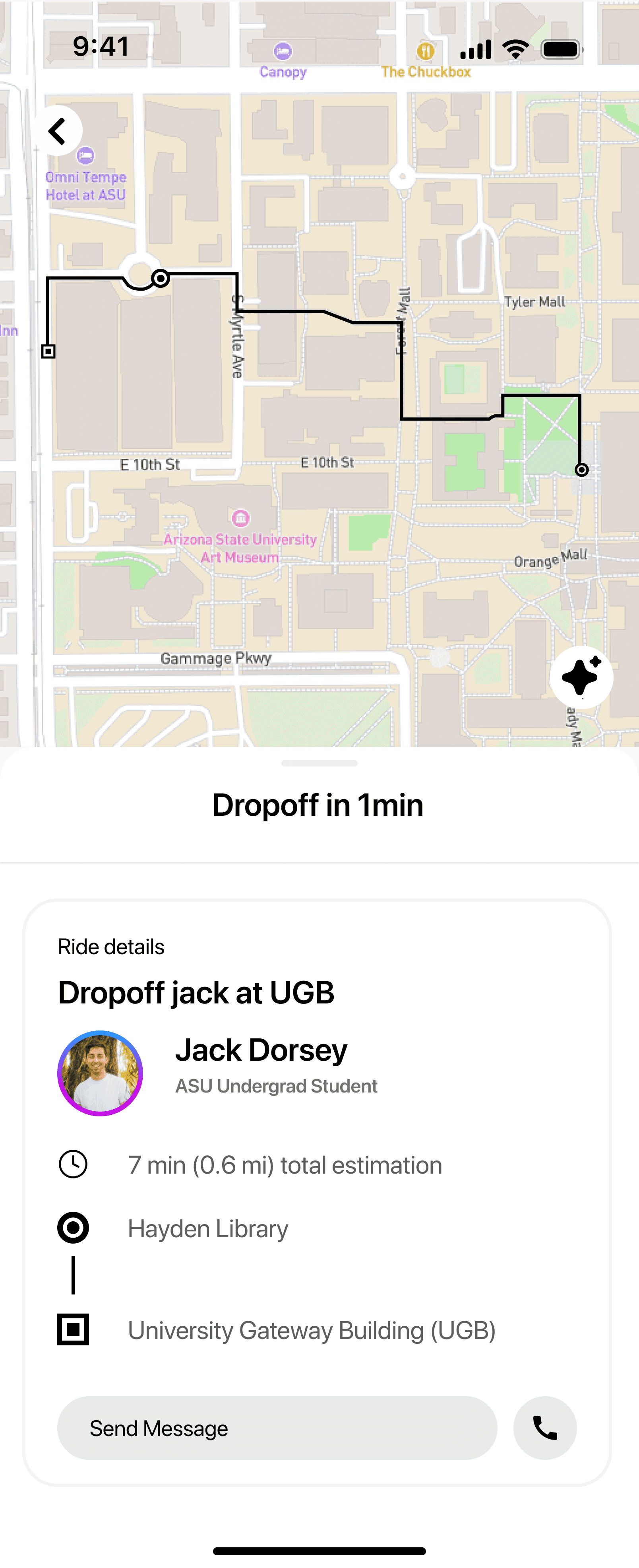
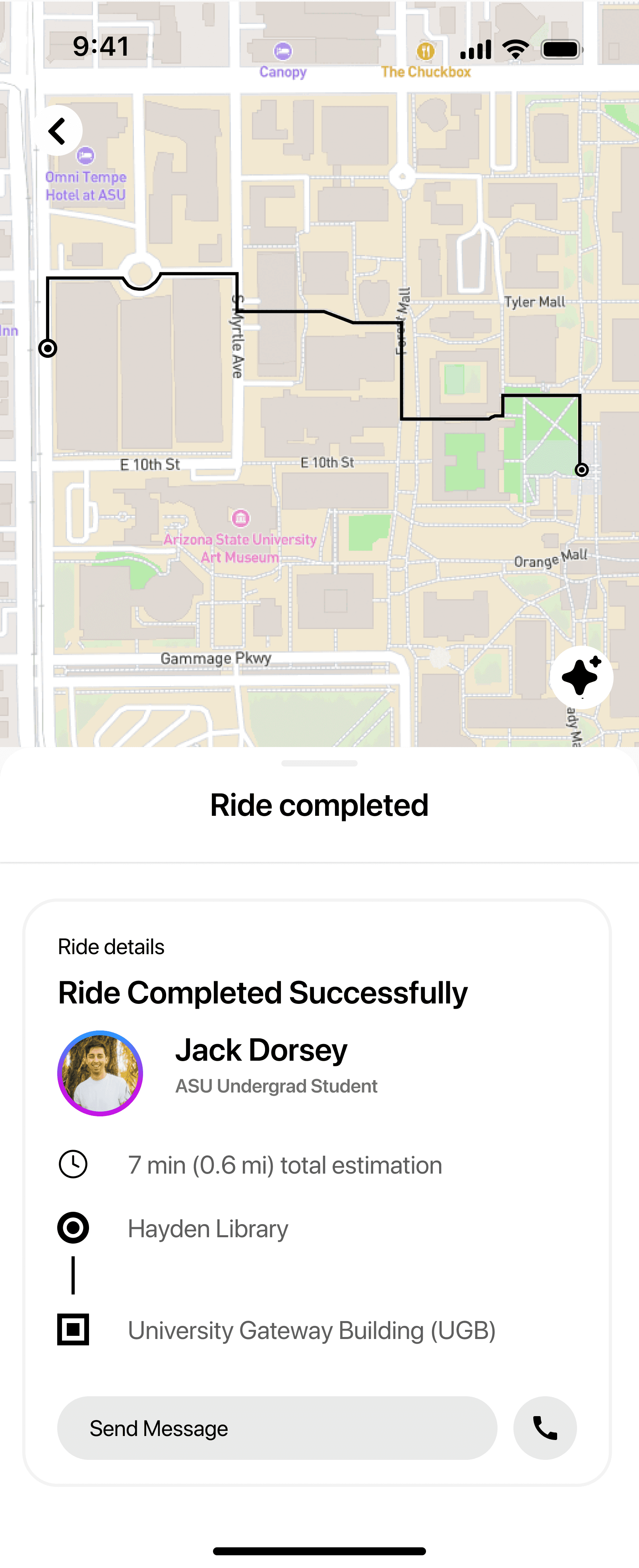
The evaluator begins on the home screen, accepts a ride, views route guidance, starts the ride, and completes the drop-off.
Task 2 — View and Manage Shifts
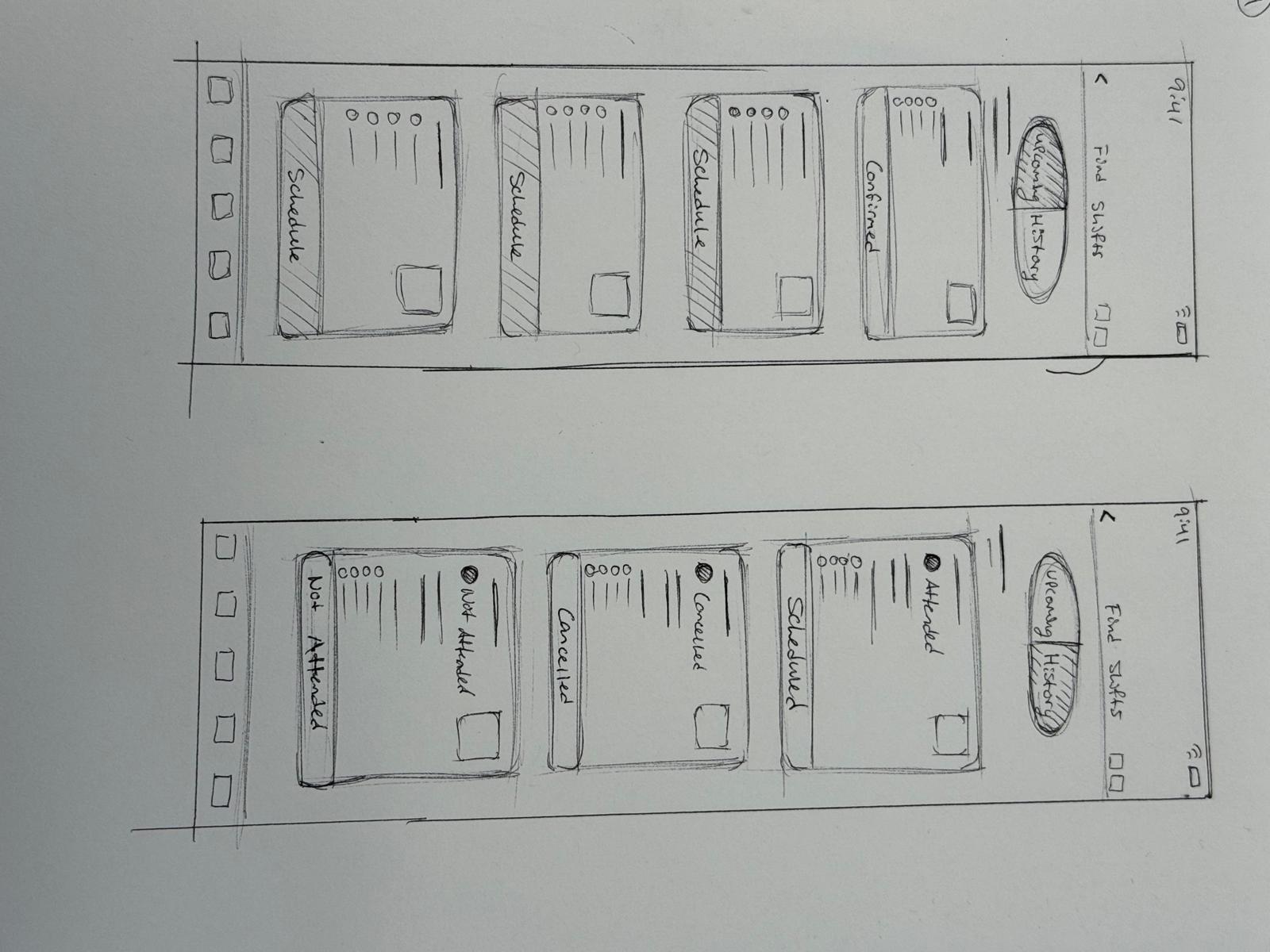
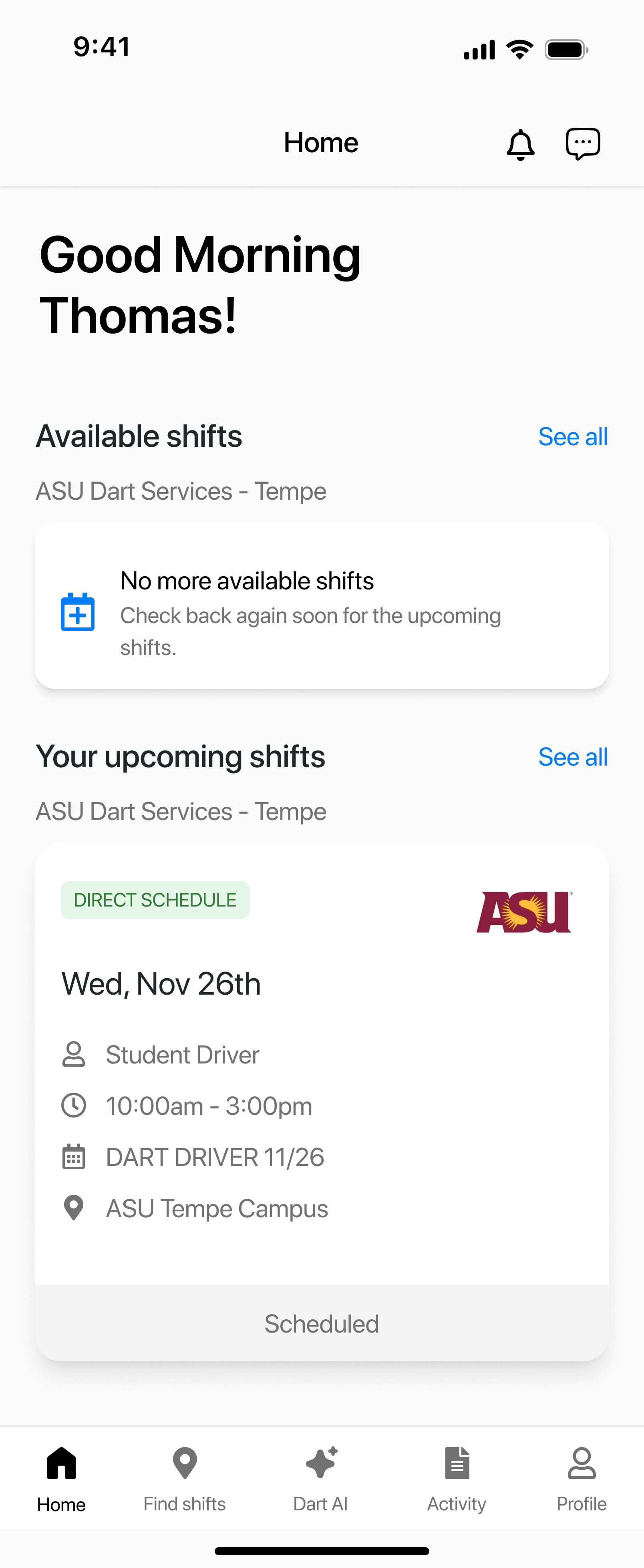
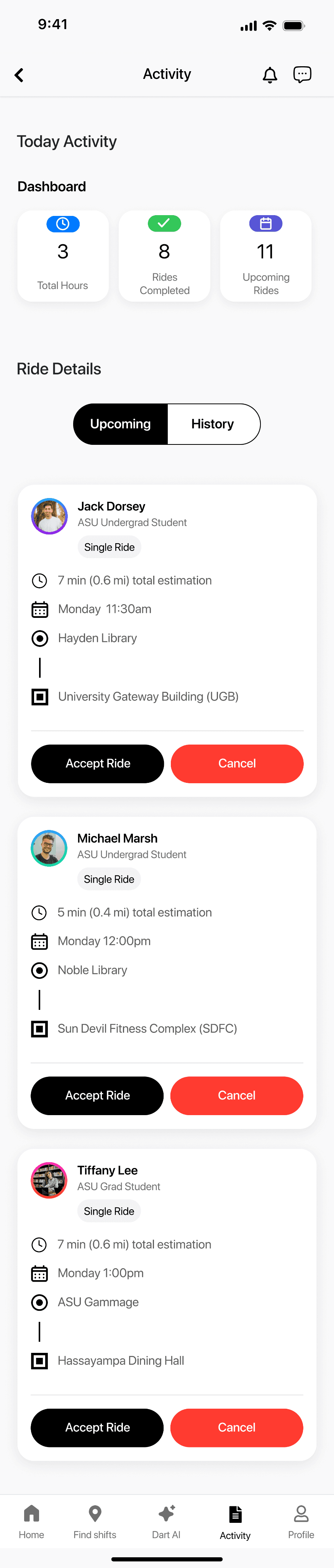
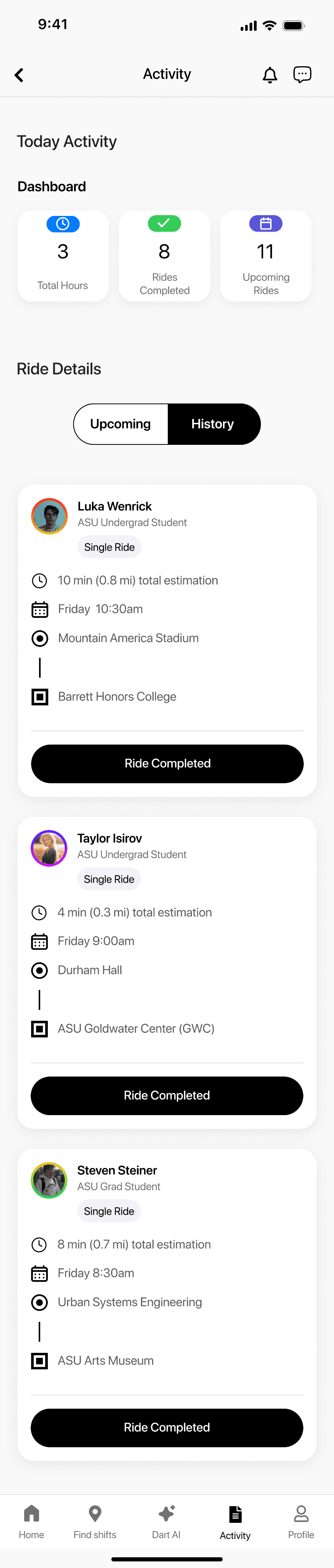
Evaluator navigates to the “Find Shifts” and “Activity” tabs to explore upcoming shifts, history, and ride logs.
Task 3 — Use the DART AI Chatbot
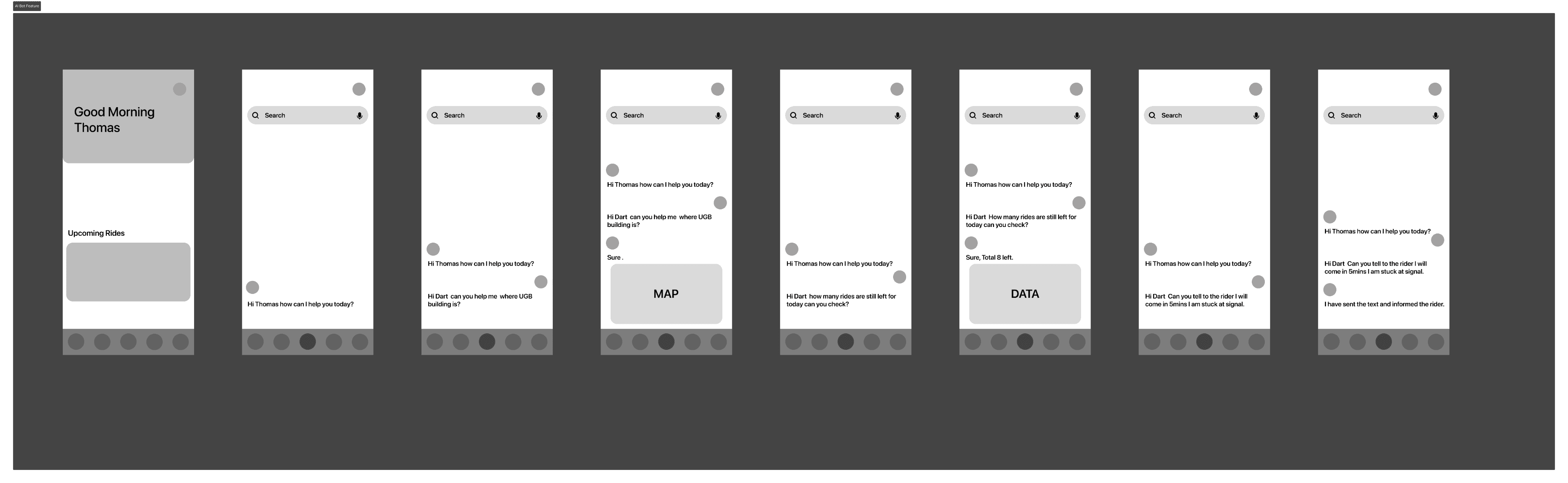
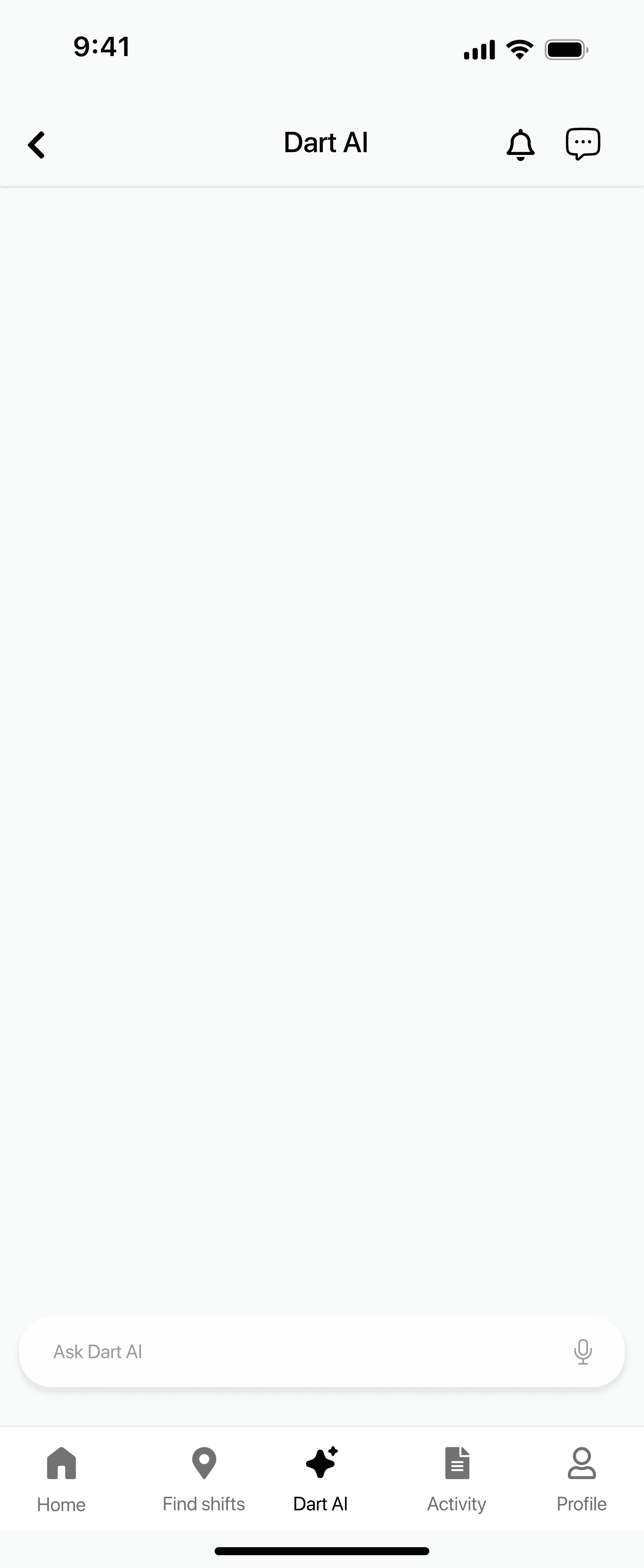
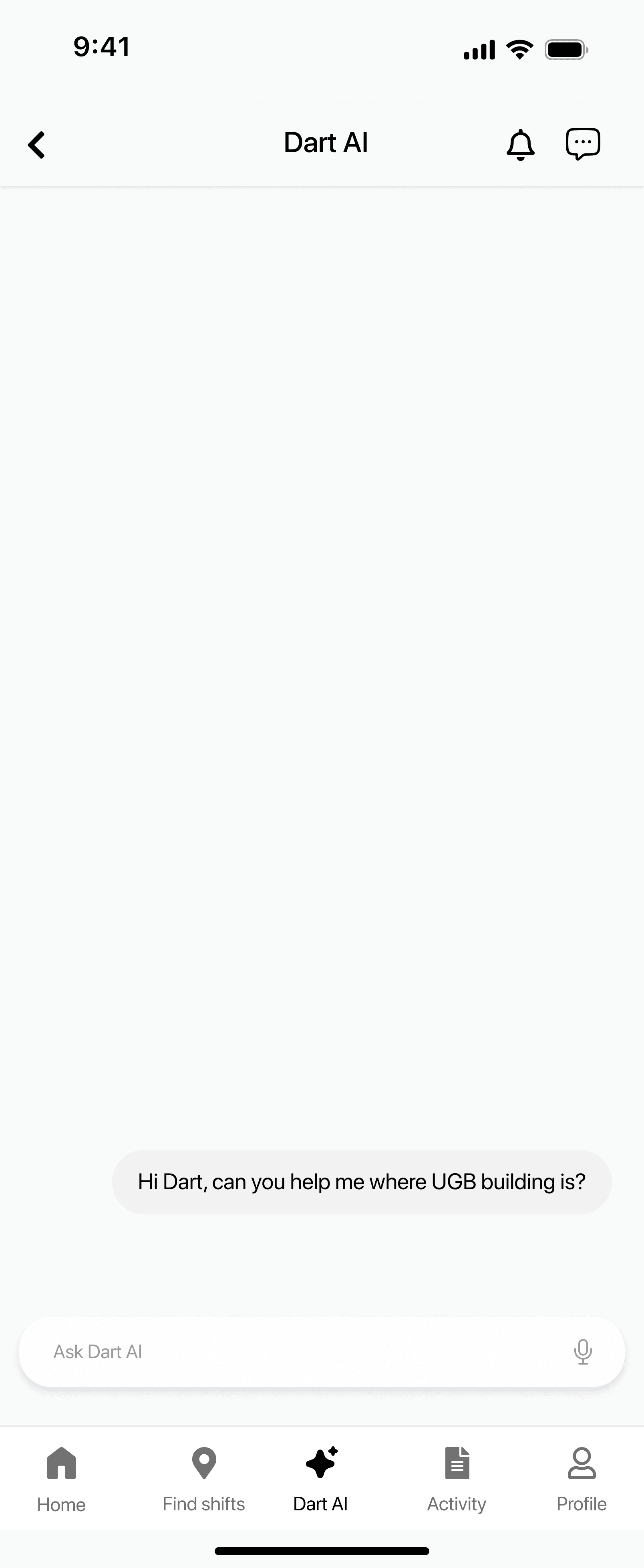
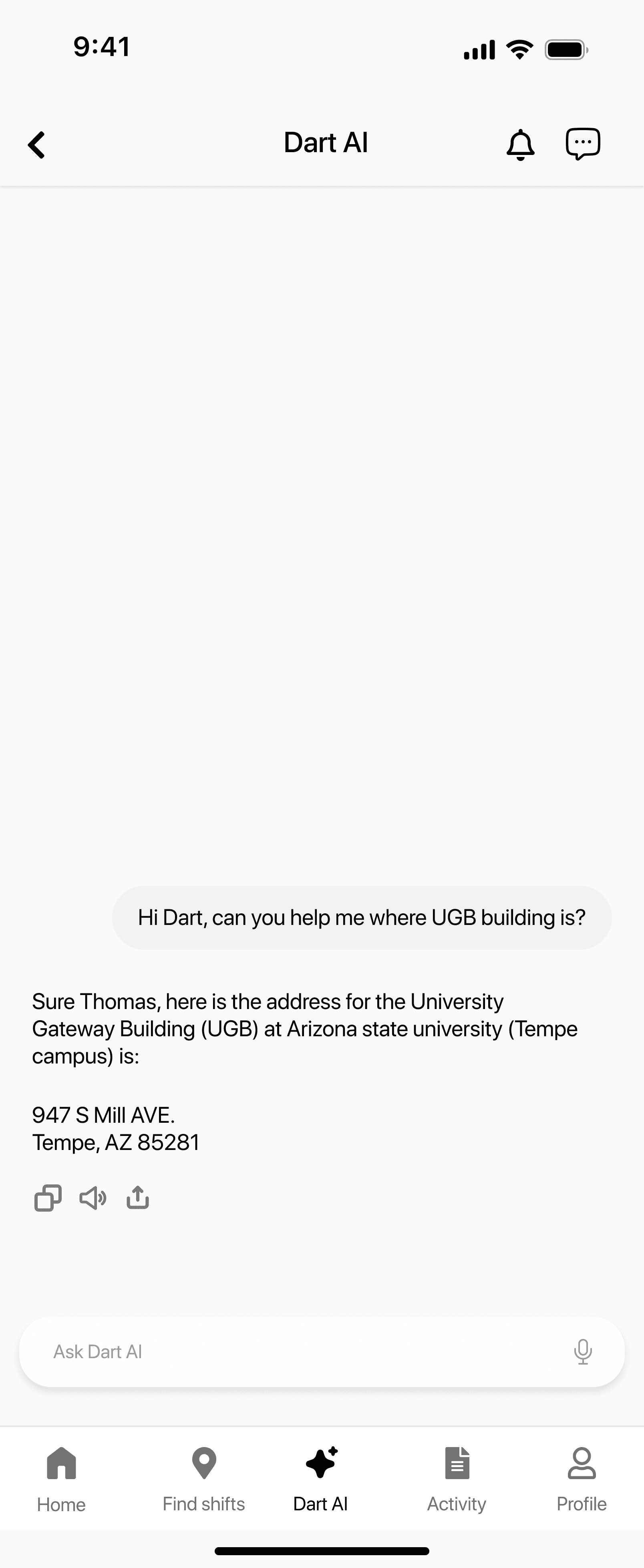
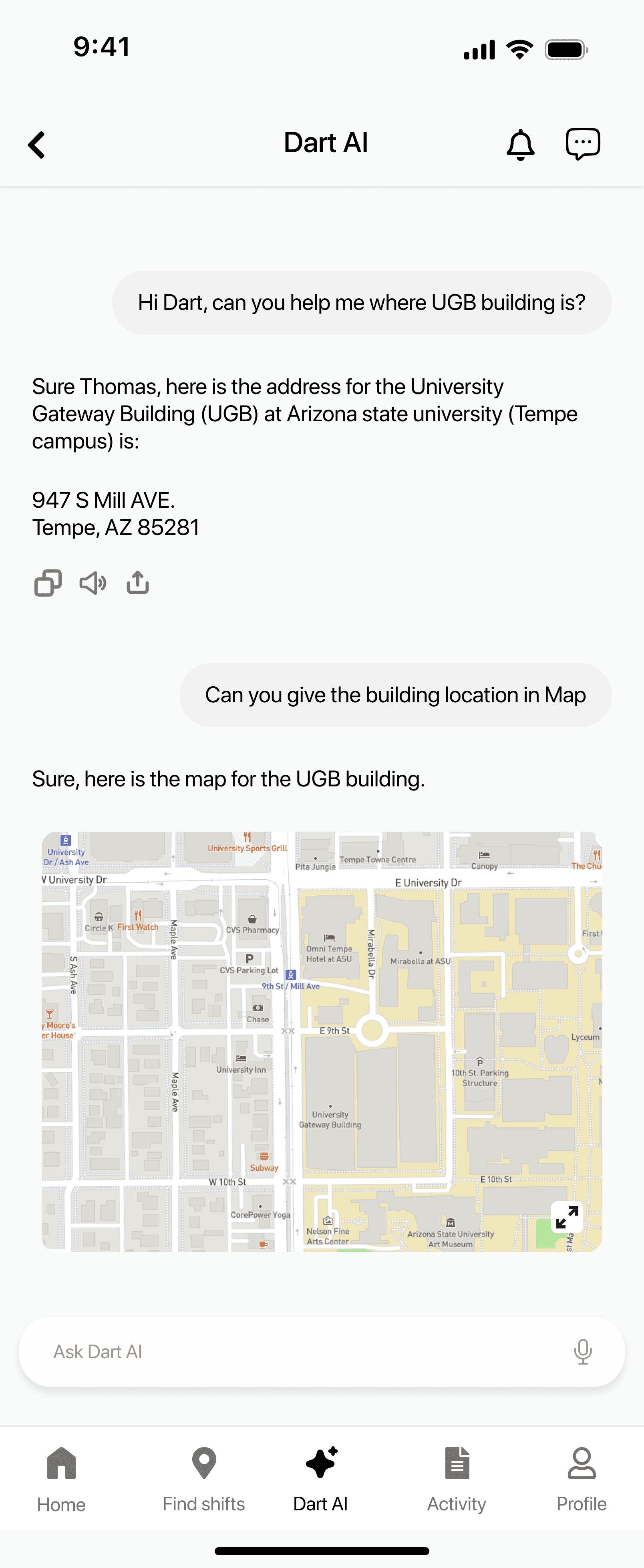
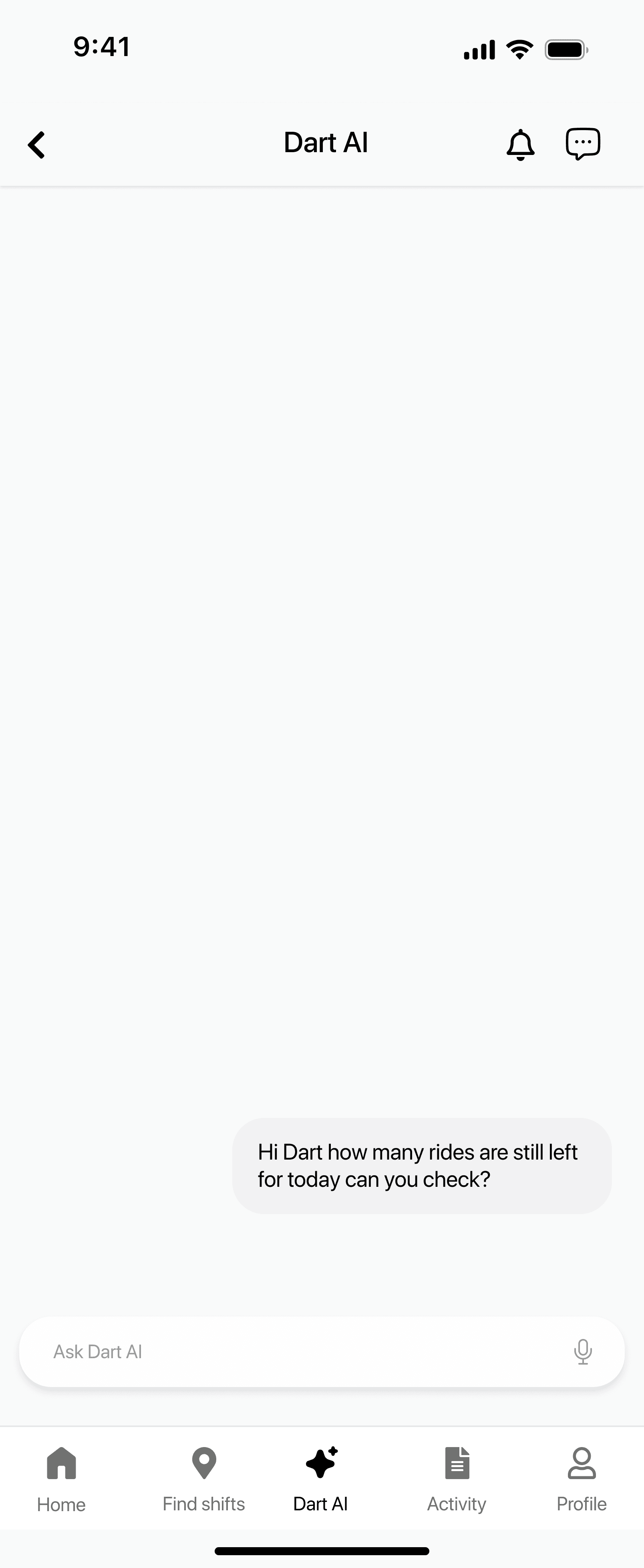
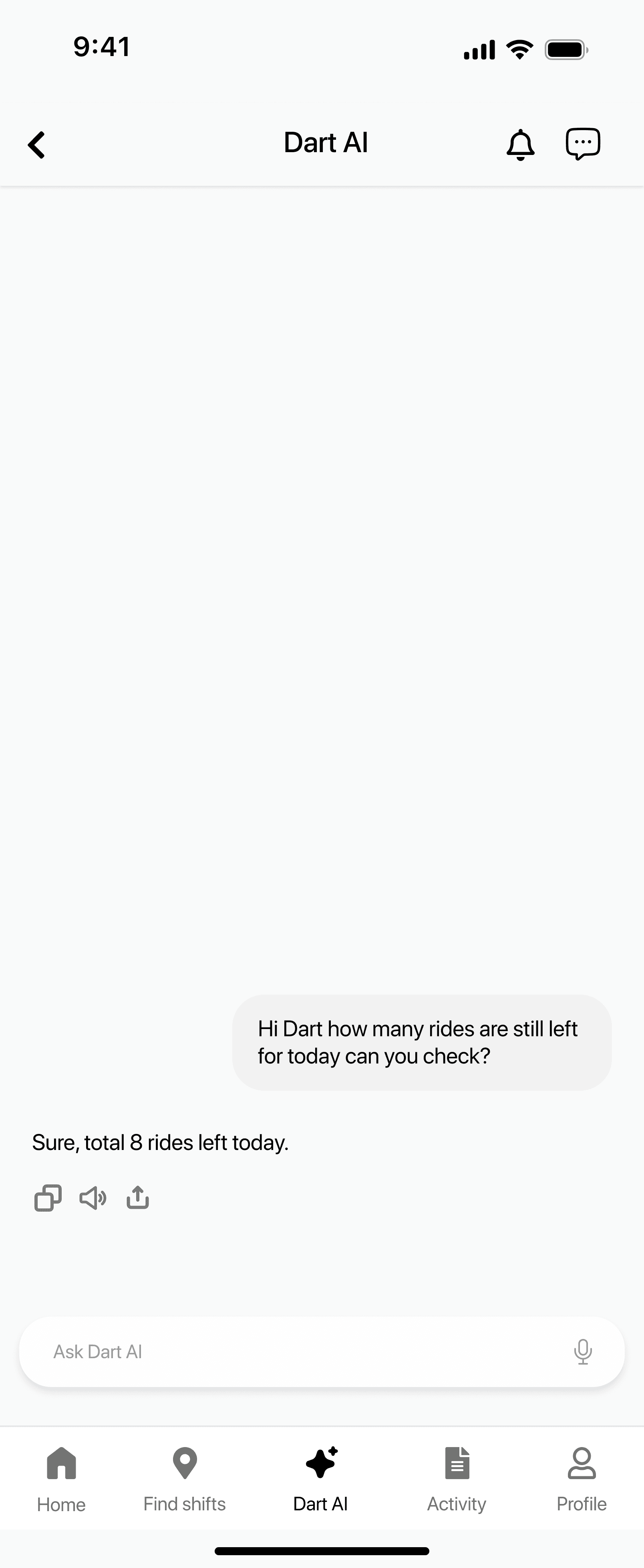
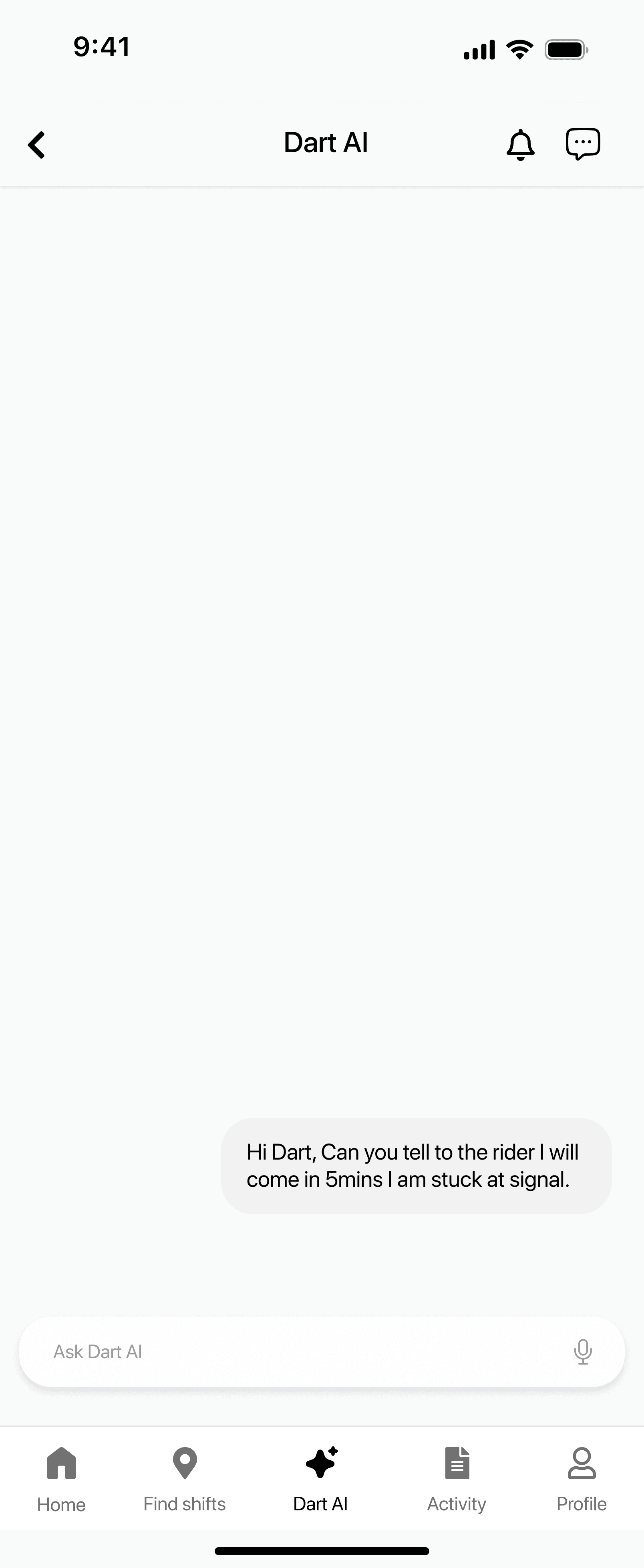
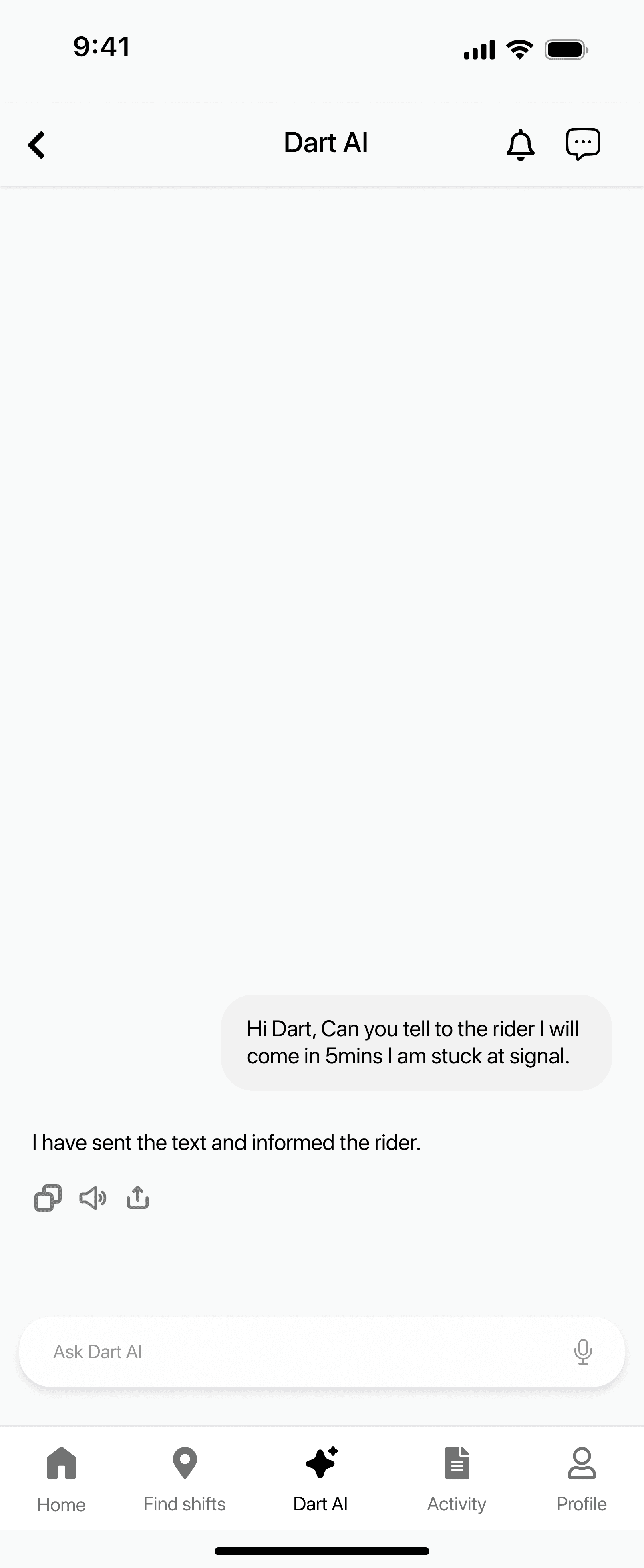
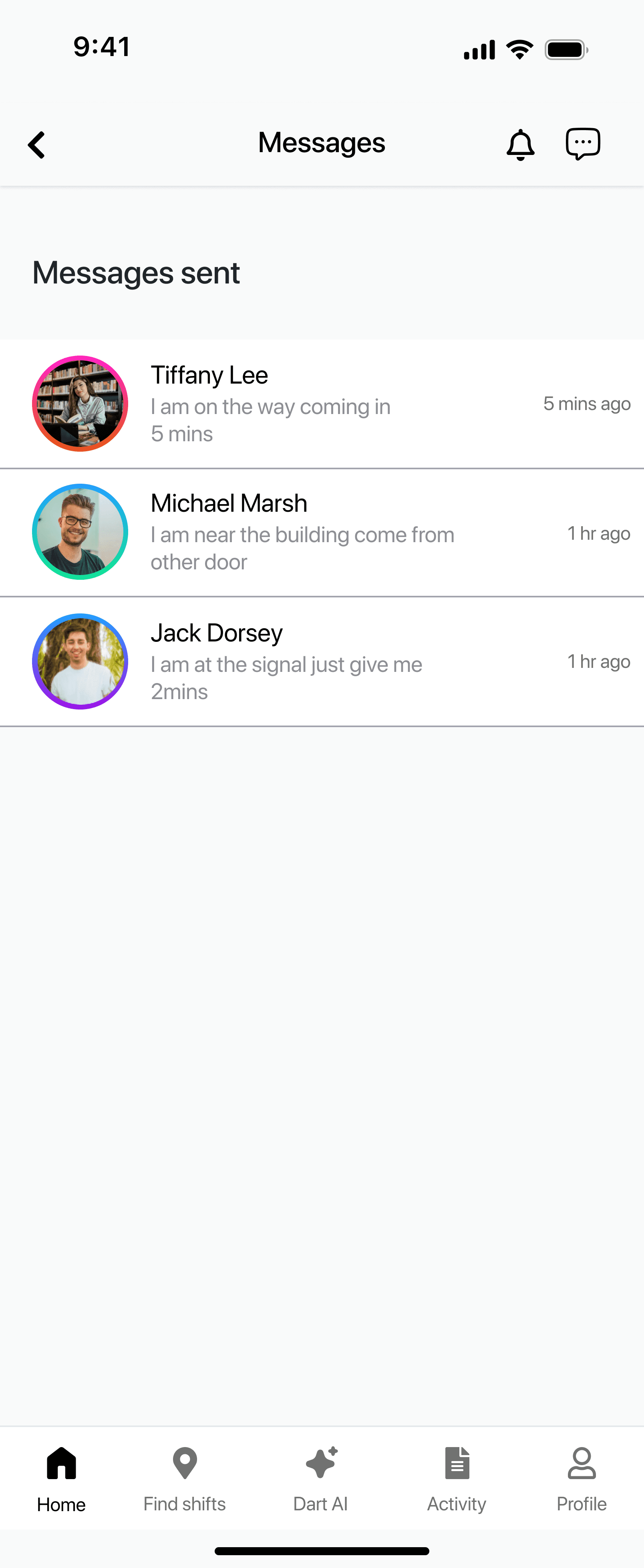
Evaluator uses the chatbot to ask for building directions, remaining ride count, and messaging assistance.
Issue 1: Status Labels Hard to Notice
Severity: [2] Minor
Heuristics: Visibility of System Status, Consistency & Standards
Description:
The labels such as “Pickup 2 min” and “Drop off in 4 min” blend into the
background of the map. Users may miss important timing updates
during the ride. Increasing contrast or font weight would make status
updates more visible
Issue 2: Navigation Icons Are Unclear
Severity: [2] Minor
Heuristics: Consistency & Standards, Match Between System and Real World
Description:
Some icons in the bottom navigation bar are not universally
recognizable. Users may pause to understand their meaning before
tapping. Adding text labels or using more familiar icons would reduce confusion.
Issue 3: No Confirmation Before Starting Ride
Severity: [2] Minor
Heuristics: Error Prevention, User Control & Freedom
Description:
The “Start the Ride” button triggers an immediate state change
without confirmation. Users may accidentally begin a ride if they tap
unintentionally. Adding a confirmation dialog would help avoid
mistakes.
Issue 4: Route Lines Have Low Contrast
Severity: [1] Cosmetic
Heuristics: Visibility of System Status, Aesthetic and Minimalist Design
Description:
The route lines on the map sometimes blend into background colors.
This makes it harder for drivers to follow their designated path.
Enhancing line thickness or color would improve route visibility
Issue 5: Chatbot Has No Typing Indicator
Severity: [1] Cosmetic
Heuristics: Visibility of System Status
Description:
The chatbot displays instant messages without showing a “typing”
animation. Users may think the system is unresponsive or robotic. A
typing indicator enhances user trust and interaction quality.
Issue 6: Inconsistent Card Spacing
Severity: [1] Cosmetic
Heuristics: Consistency & Standards
Description:
Shift cards and activity cards have slightly different spacing and
padding. This reduces overall visual consistency and polish.
Standardizing spacing will improve the layout professional appearance.
Issue 7: No Feedback for Empty Login Fields
Severity: [2] Minor
Heuristics: Error Prevention, User Control & Freedom
Description:
Submitting empty login fields does not show an error message. Users
may not understand why login failed. Adding inline error feedback
would guide users more clearly.
Issue 8: Buttons Lack Disabled State
Severity: [2] Minor
Heuristics: Error Prevention
Description:
Some interactive buttons appear active even when the action cannot
be performed. This may lead users to tap without results. A disabled
visual state would prevent confusion.
Issue 9: No Message Sent Confirmation
Severity: [1] Cosmetic
Heuristics: Visibility of System Status
Description:
The messaging interface lacks animation or confirmation when a
message is sent. Users might wonder if their message actually went
through. Adding a subtle send animation would clarify system behavior.
Issue 10: Labels Use Technical Language
Severity: [1] Cosmetic
Heuristics: Match Between System and Real World
Description:
Labels like “Direct Schedule” or “Ride Completed Successfully” feel too
system oriented. Users may find them less natural or intuitive. Rewriting
them in everyday language would improve clarity.
Takeaways
Visibility builds trust : Real-time status updates and clear feedback significantly reduce user anxiety, especially for accessibility-focused services.
Manual systems don’t scale : Spreadsheet- and call-based workflows created delays, errors, and cognitive load for riders, drivers, and managers.
Accessibility is not optional : Designing for elderly and mobility-challenged users improved clarity and usability for all users.
Small UI changes have high impact : Clear labels, consistent icons, and confirmation states greatly improved confidence and task completion.
Designing for multiple roles matters : Supporting riders, drivers, and managers in one system required balancing simplicity with operational needs.
Heuristic evaluation accelerates refinement : Applying Nielsen’s principles helped identify usability gaps quickly and guided effective design improvements.
Prototype
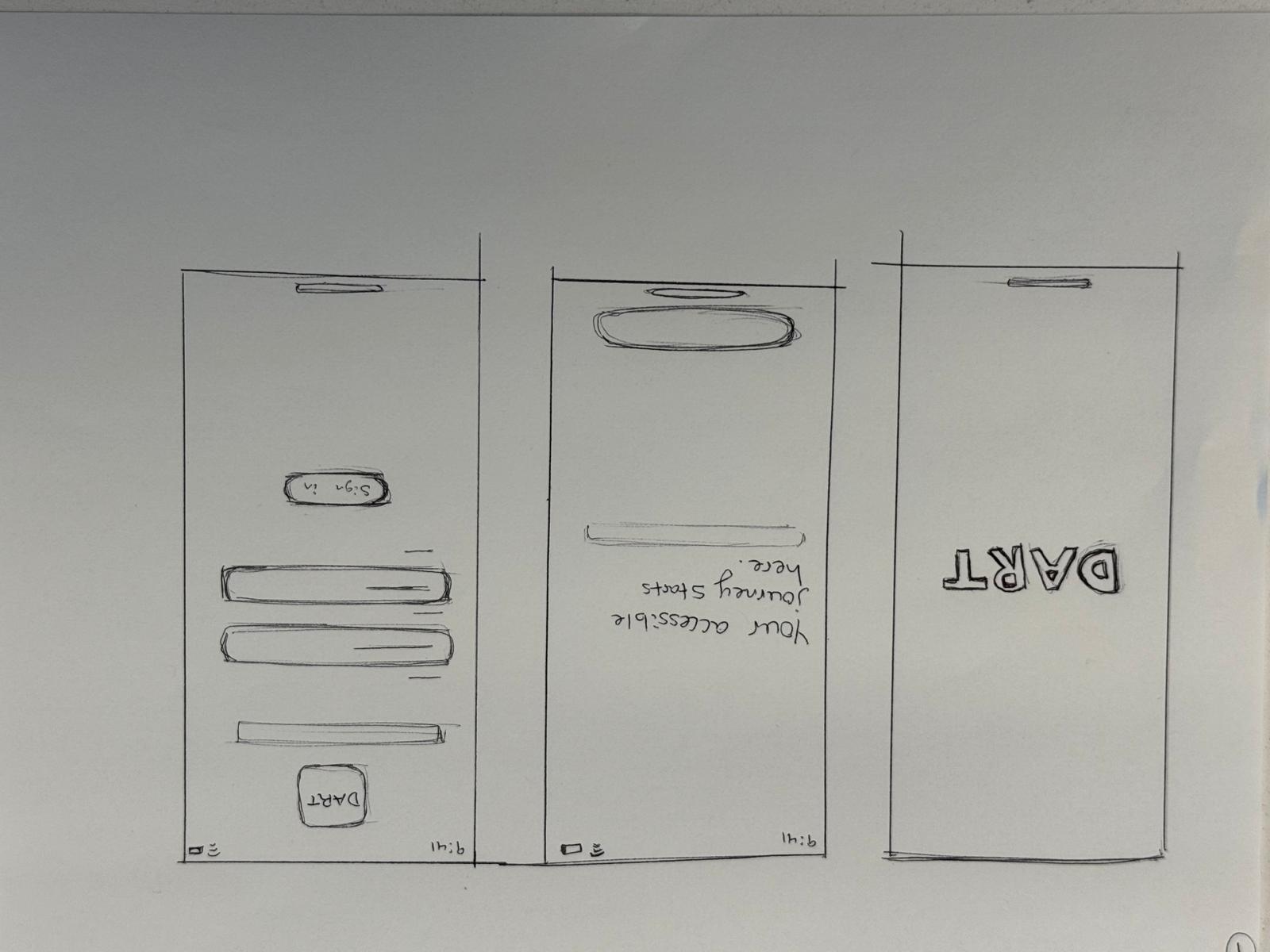
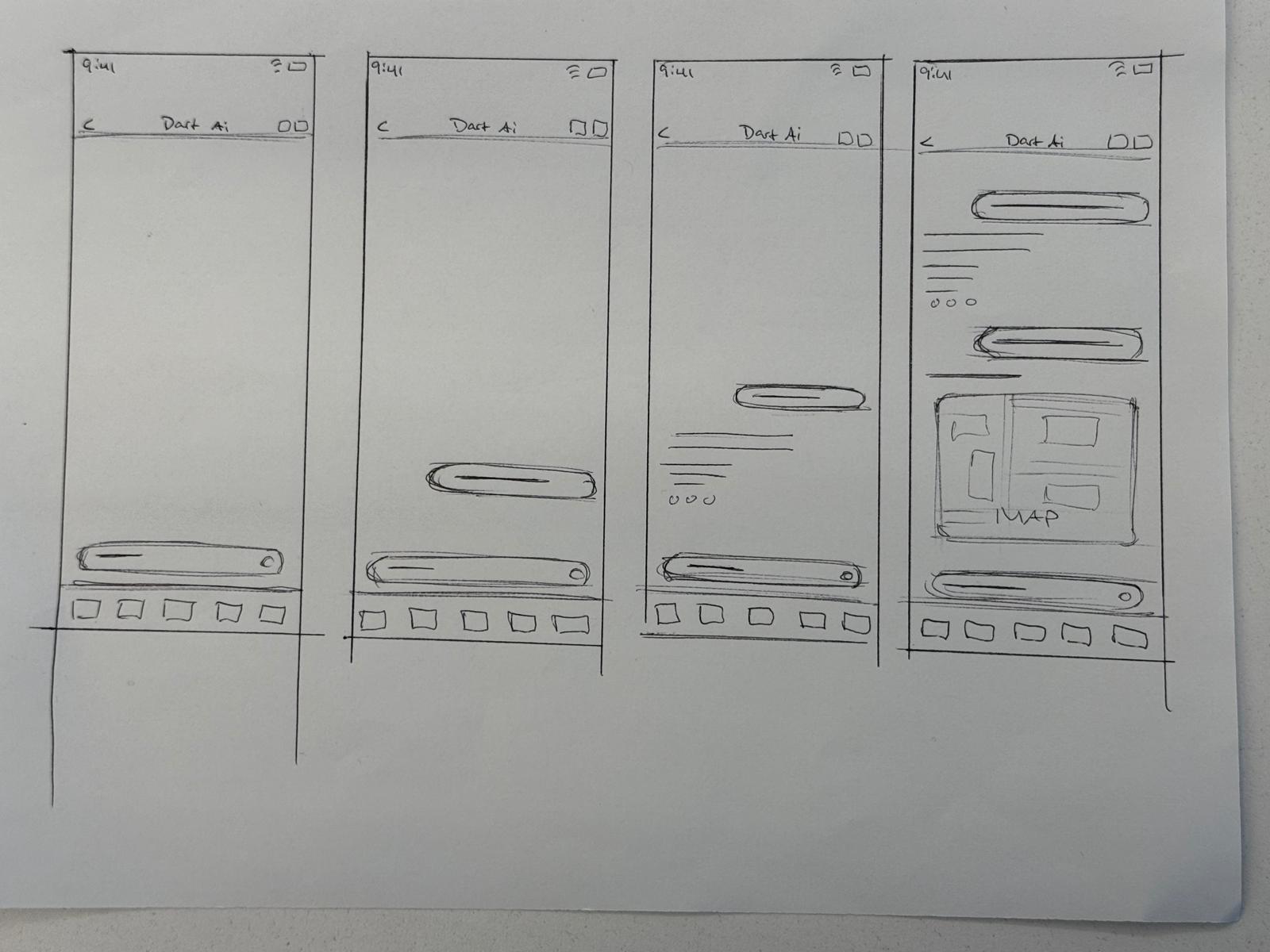
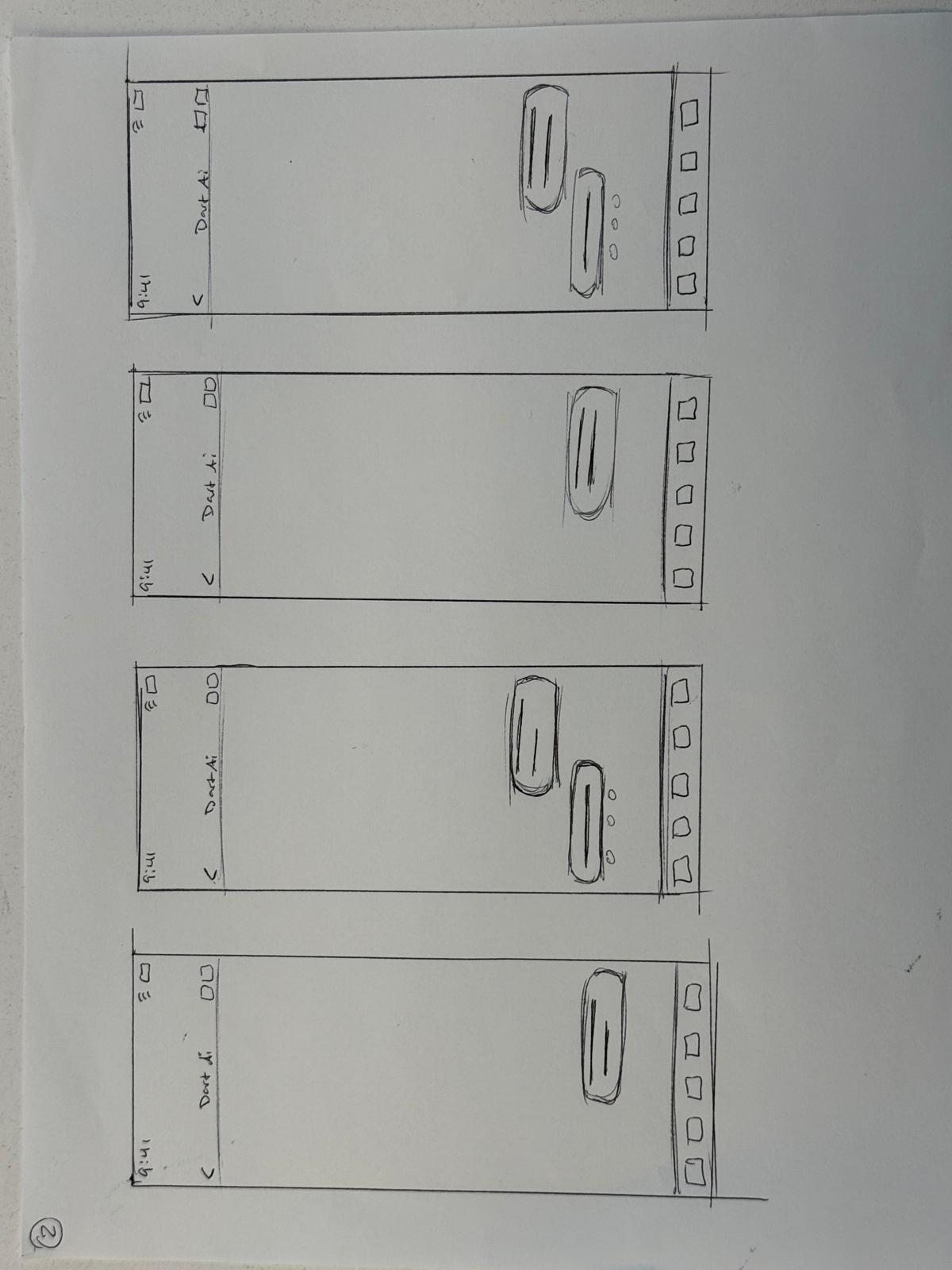
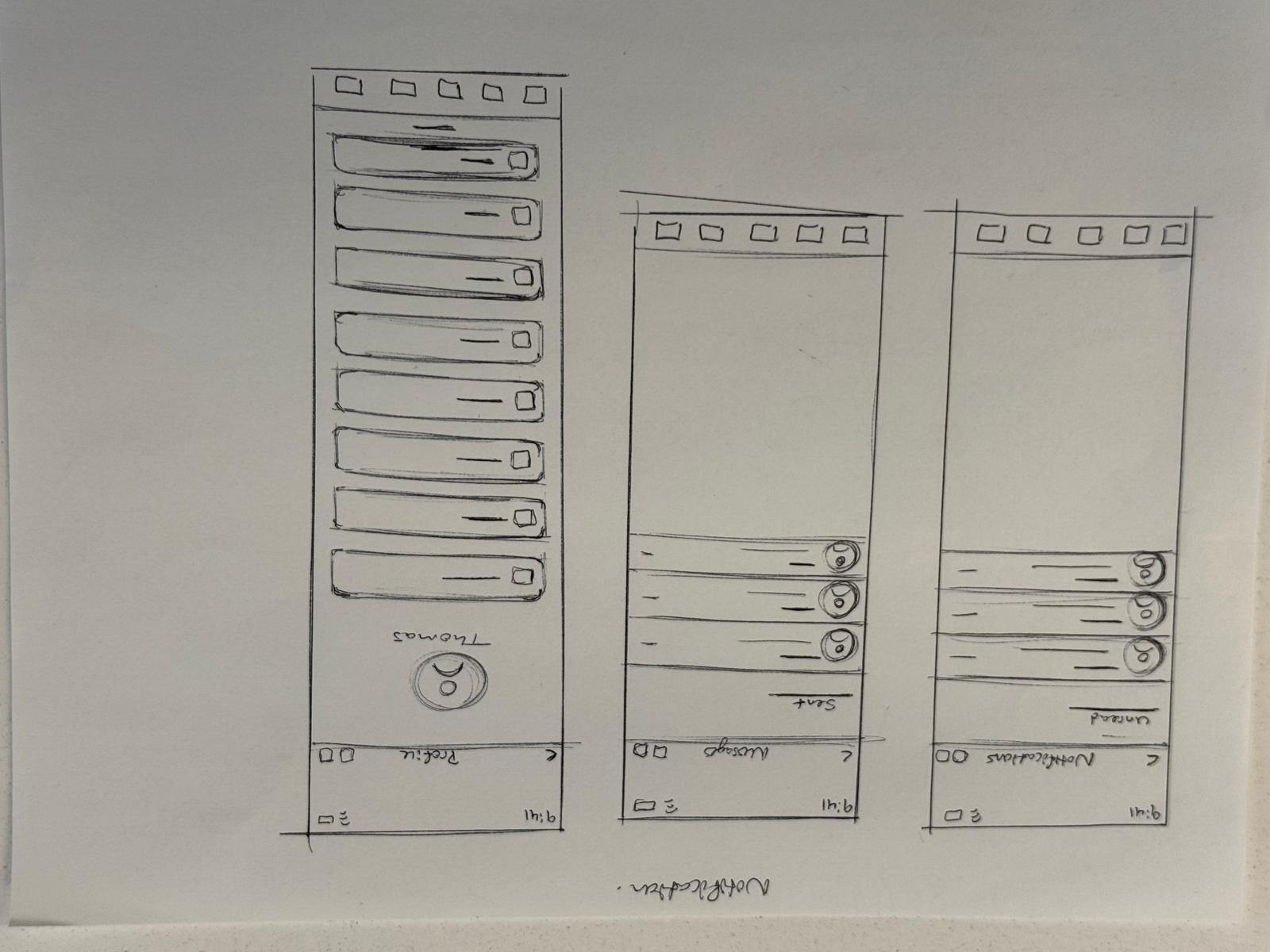
Low Fidelity Wireframes
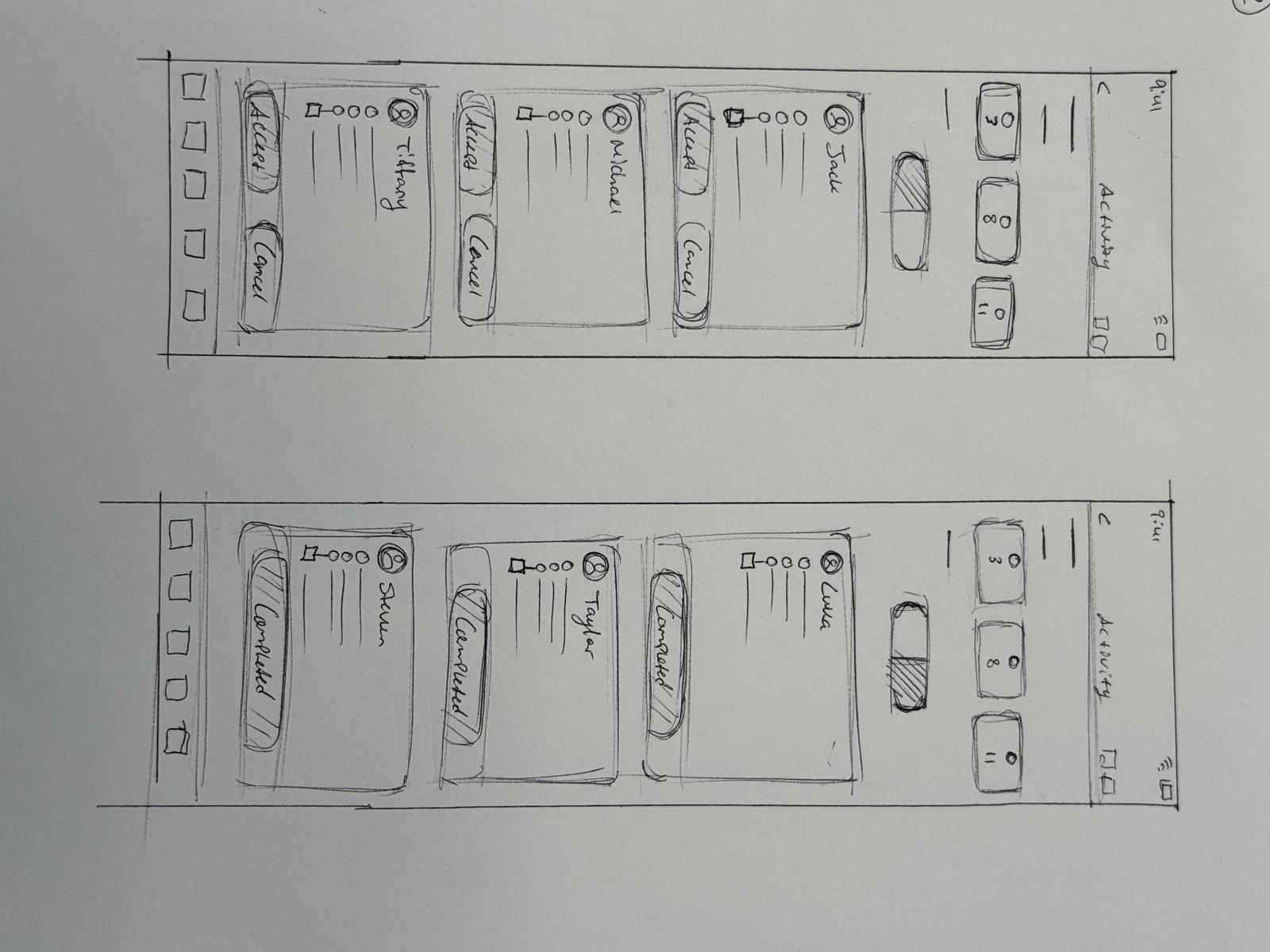
Mid Fidelity Wireframes - Initial Ideas
AI Chat bot Feature Flow
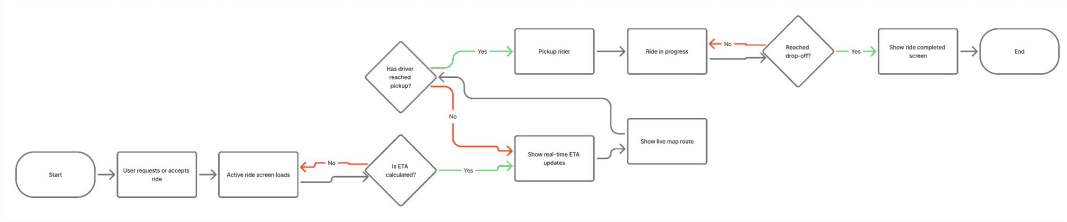
ETA Feature Flow
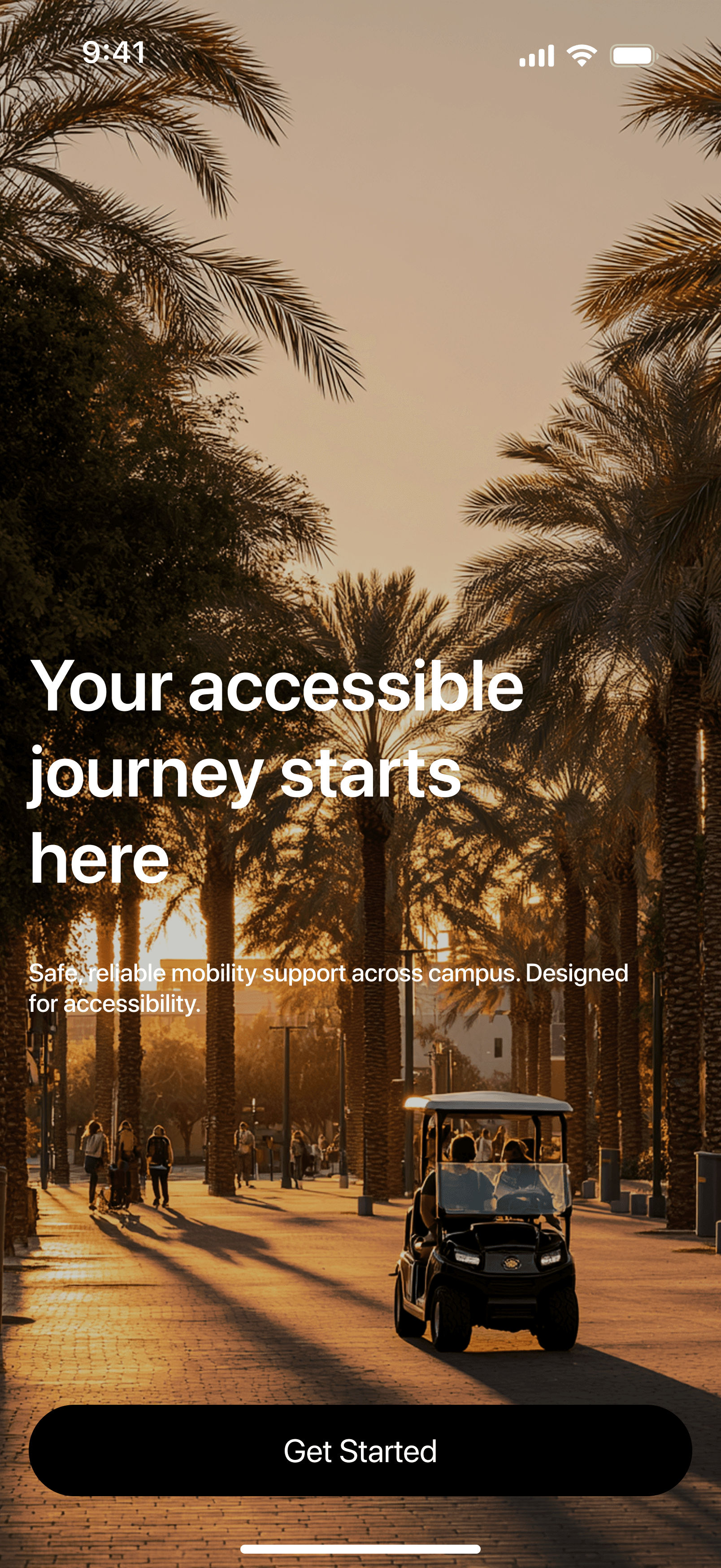
High Fidelity Wireframes

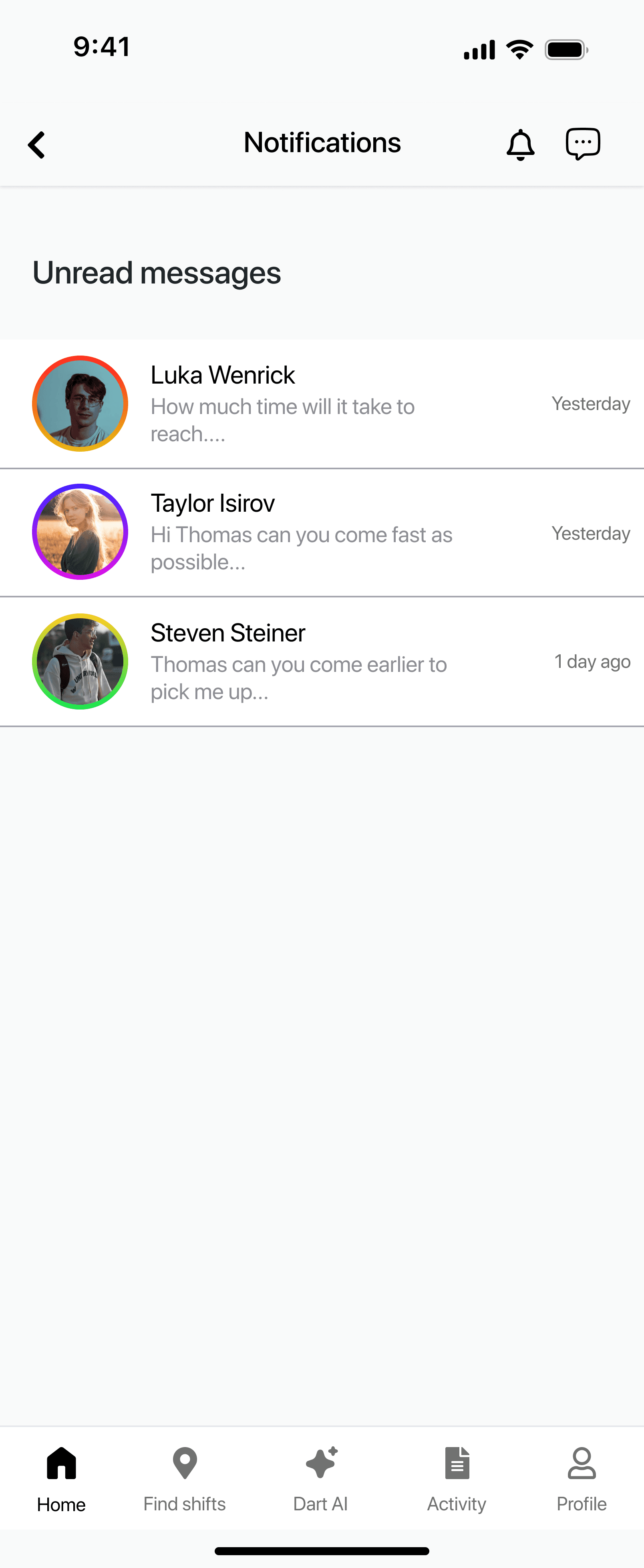
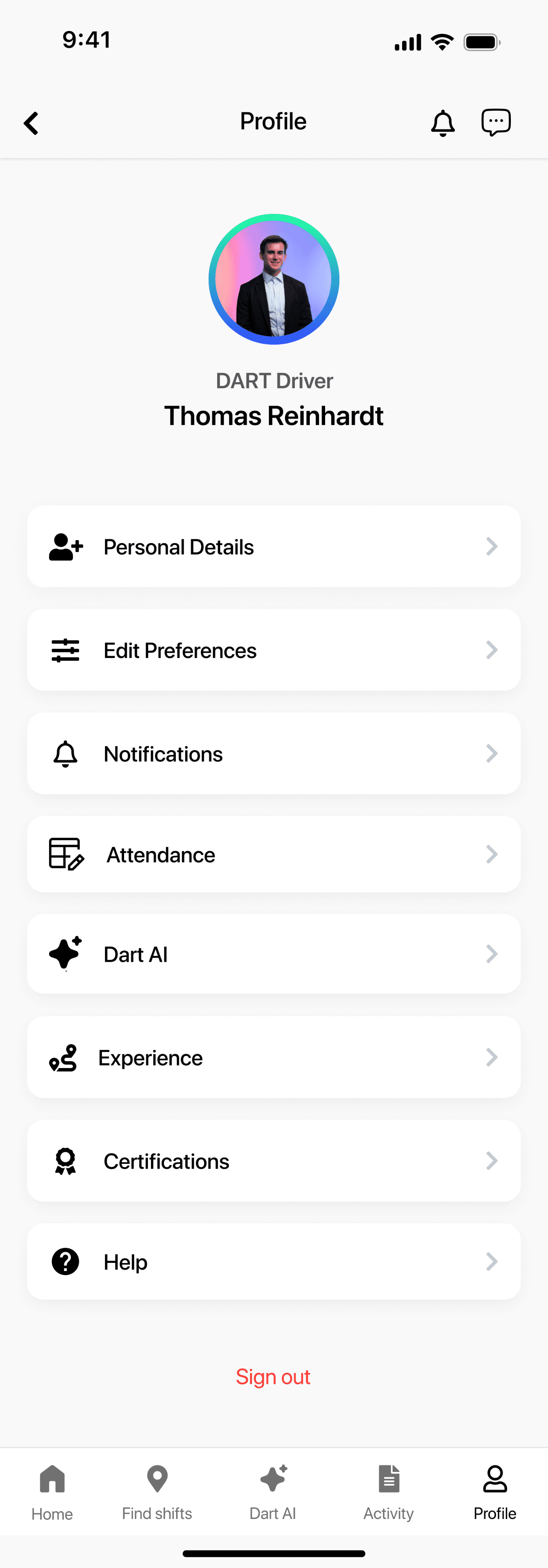
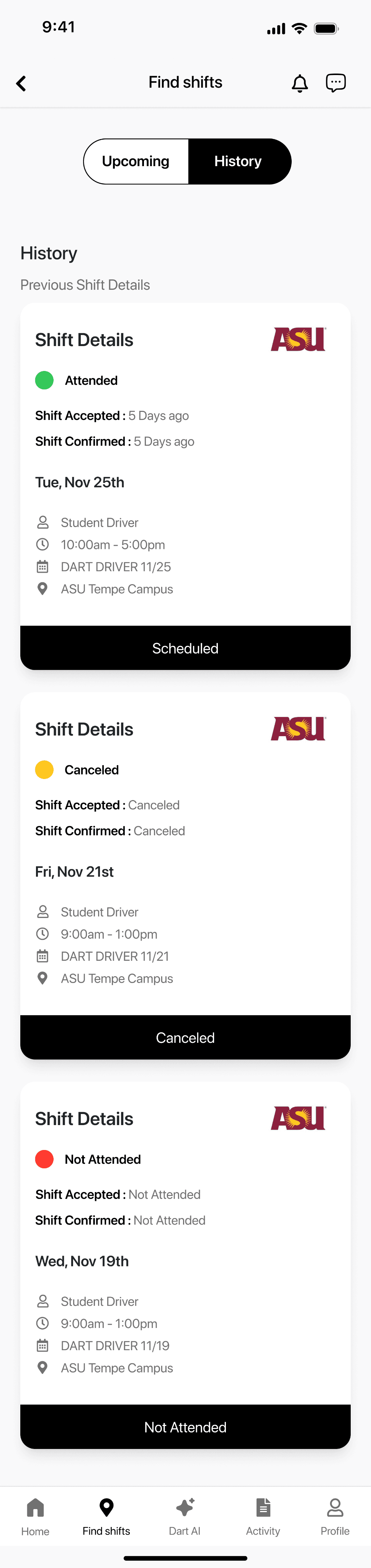
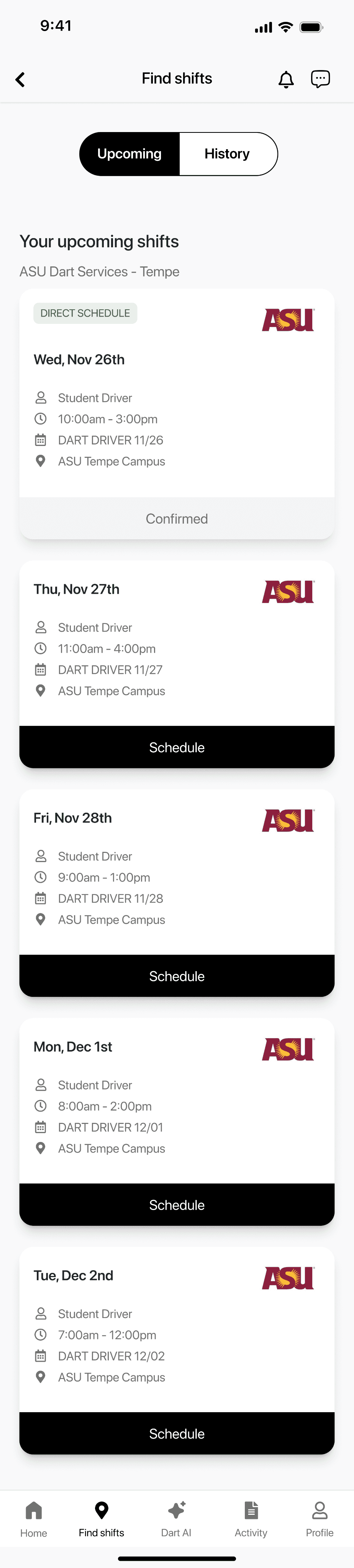
Ideate
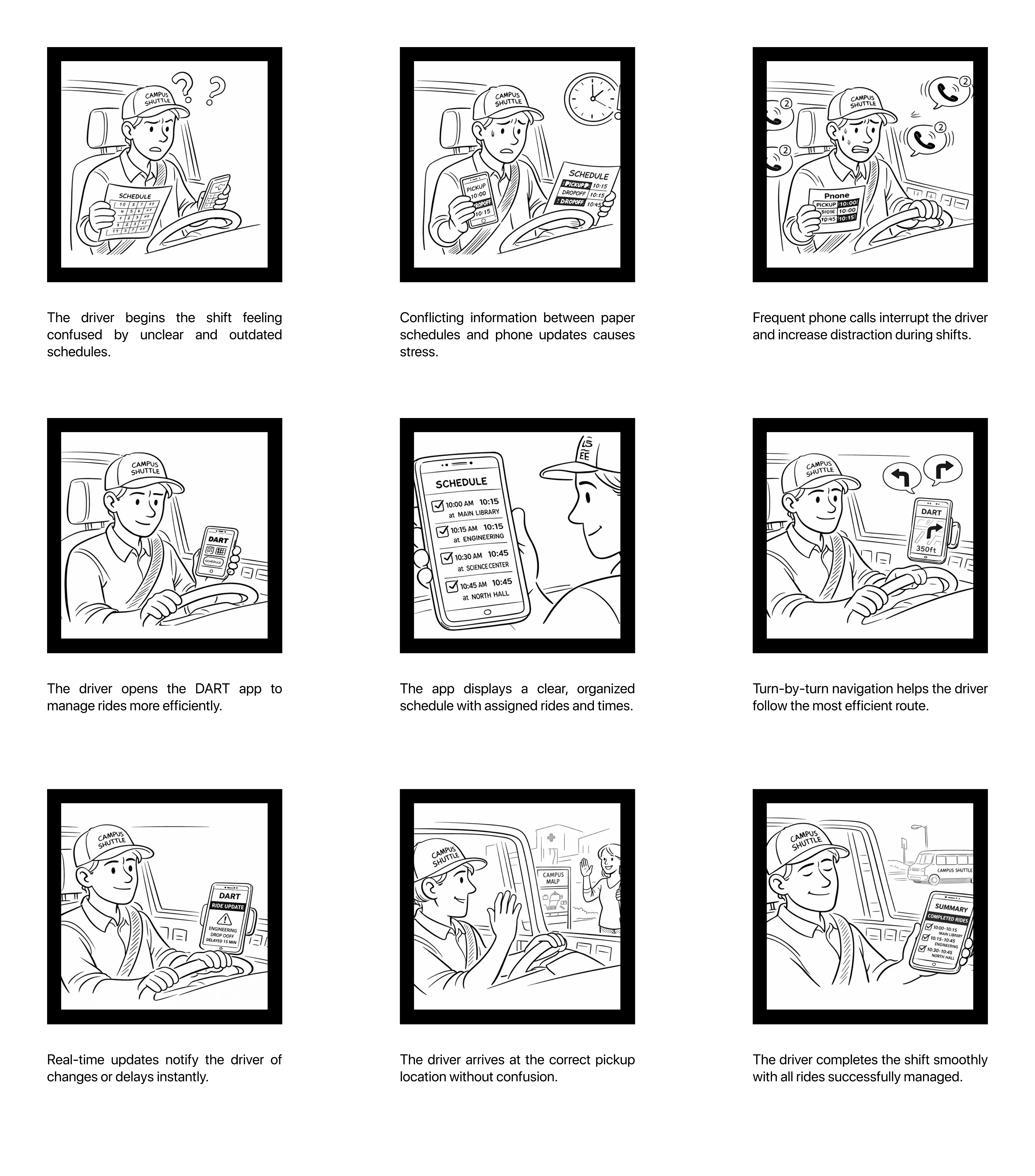
Storyboard
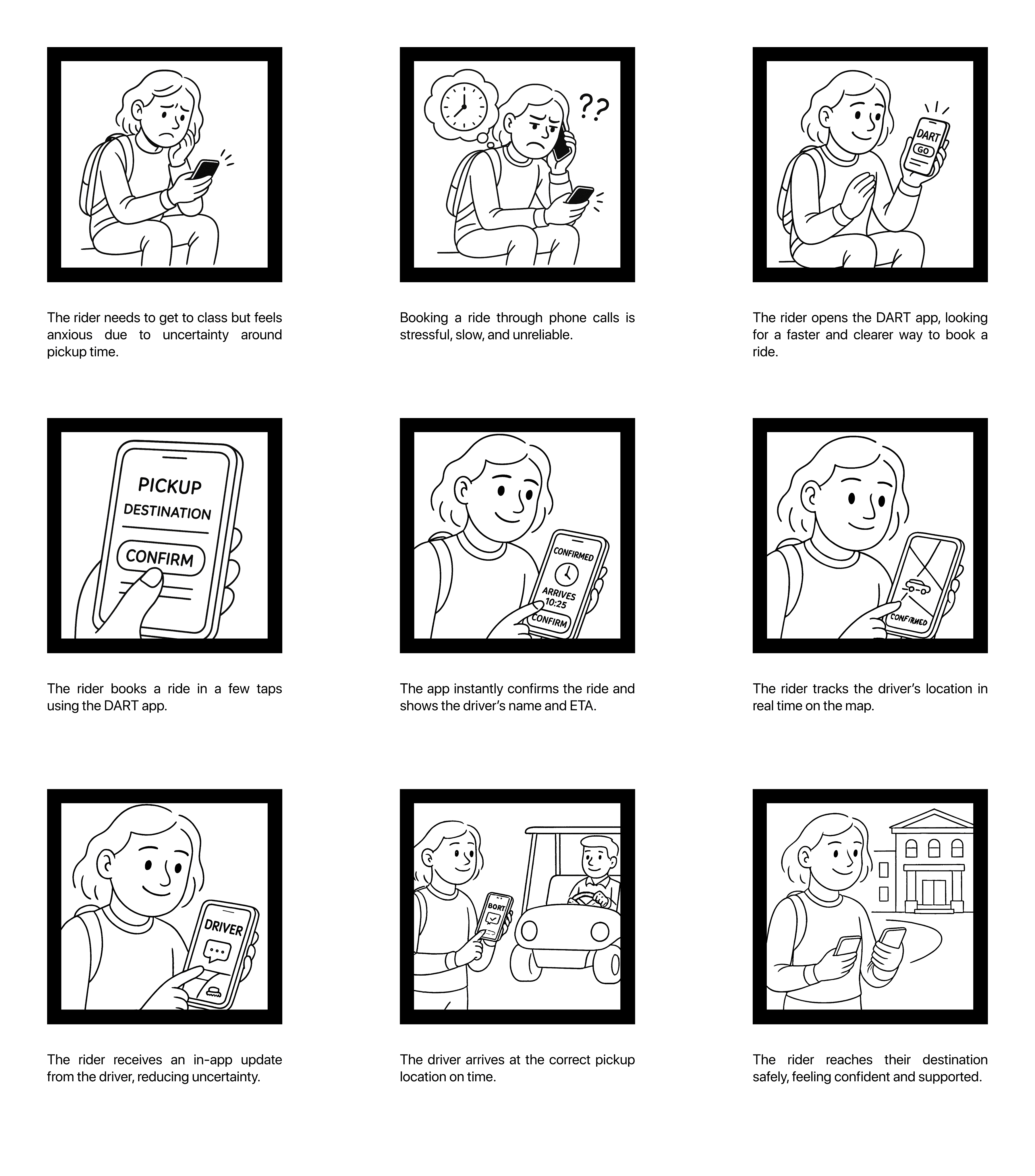
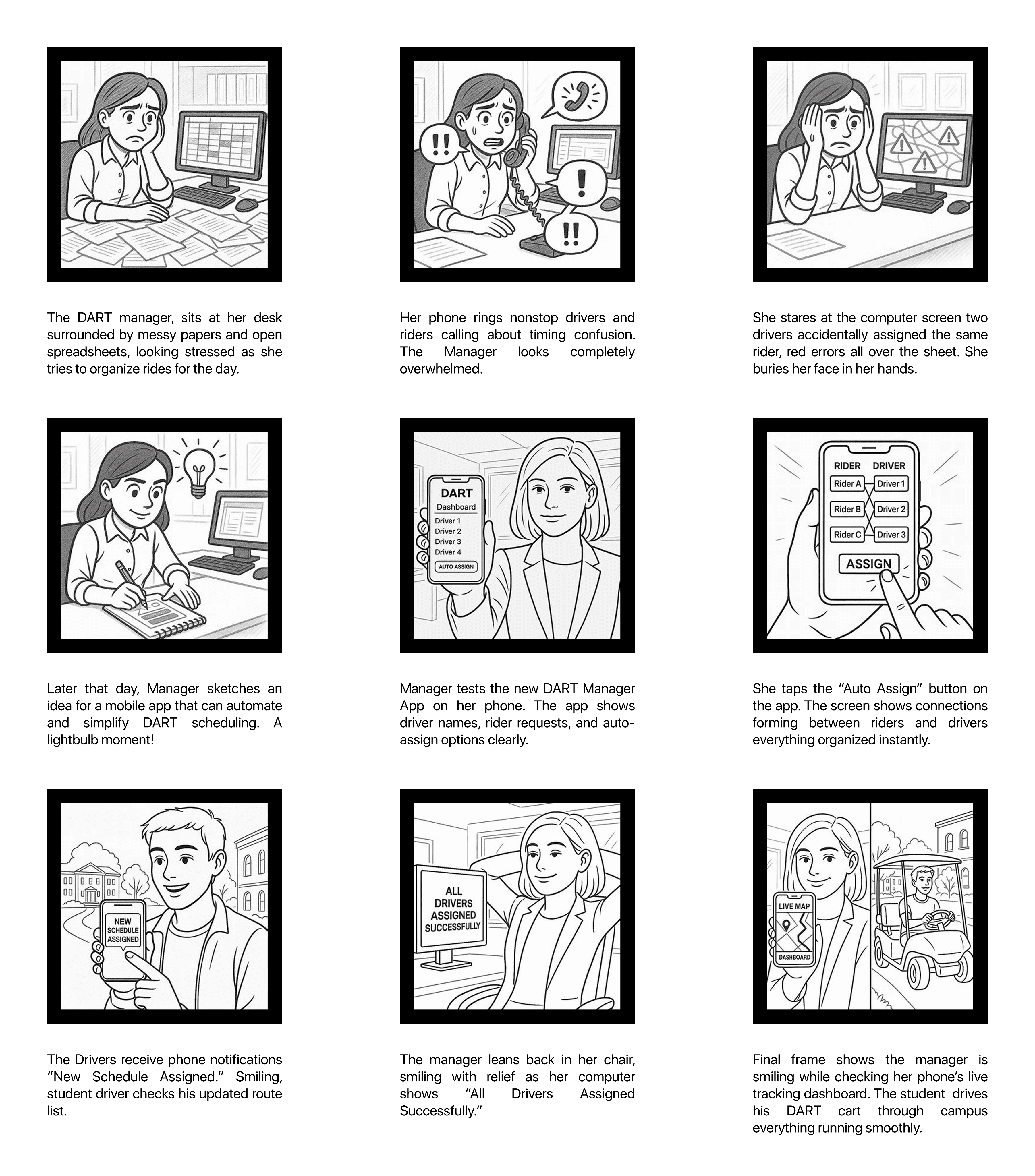
RIDER
DRIVER
MANAGER
User Flows
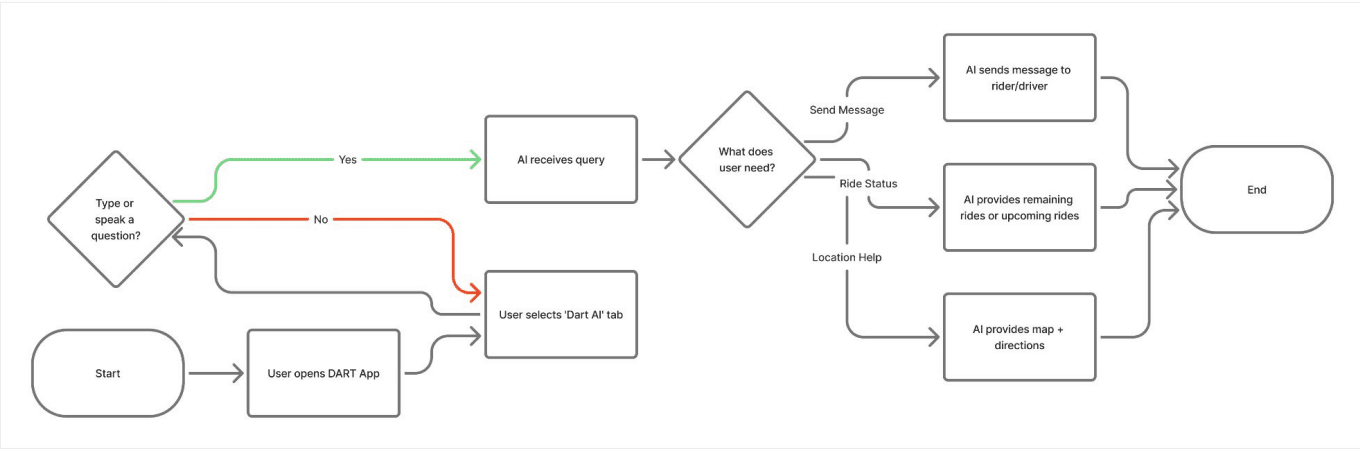
AI Chat bot Feature Flow
ETA Feature Flow
Define
Affinity Diagrams
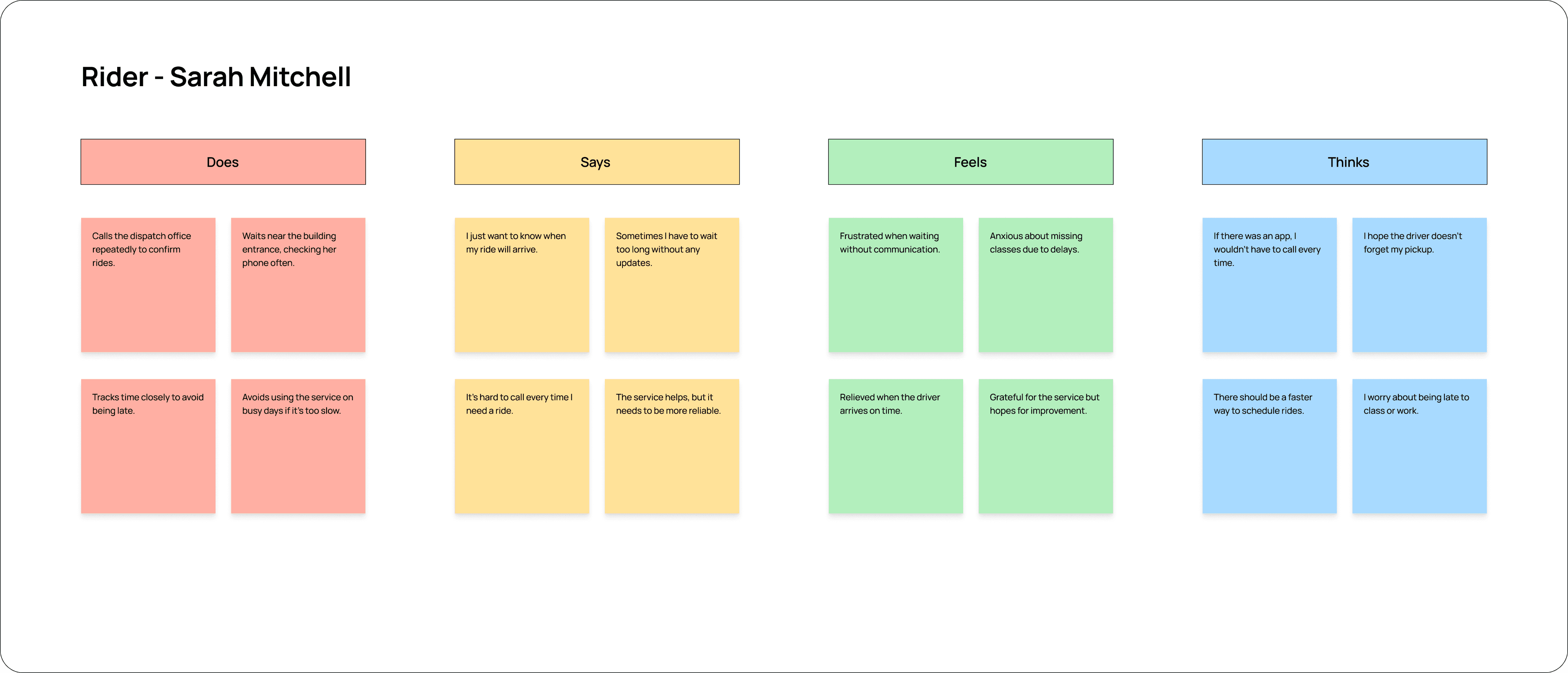
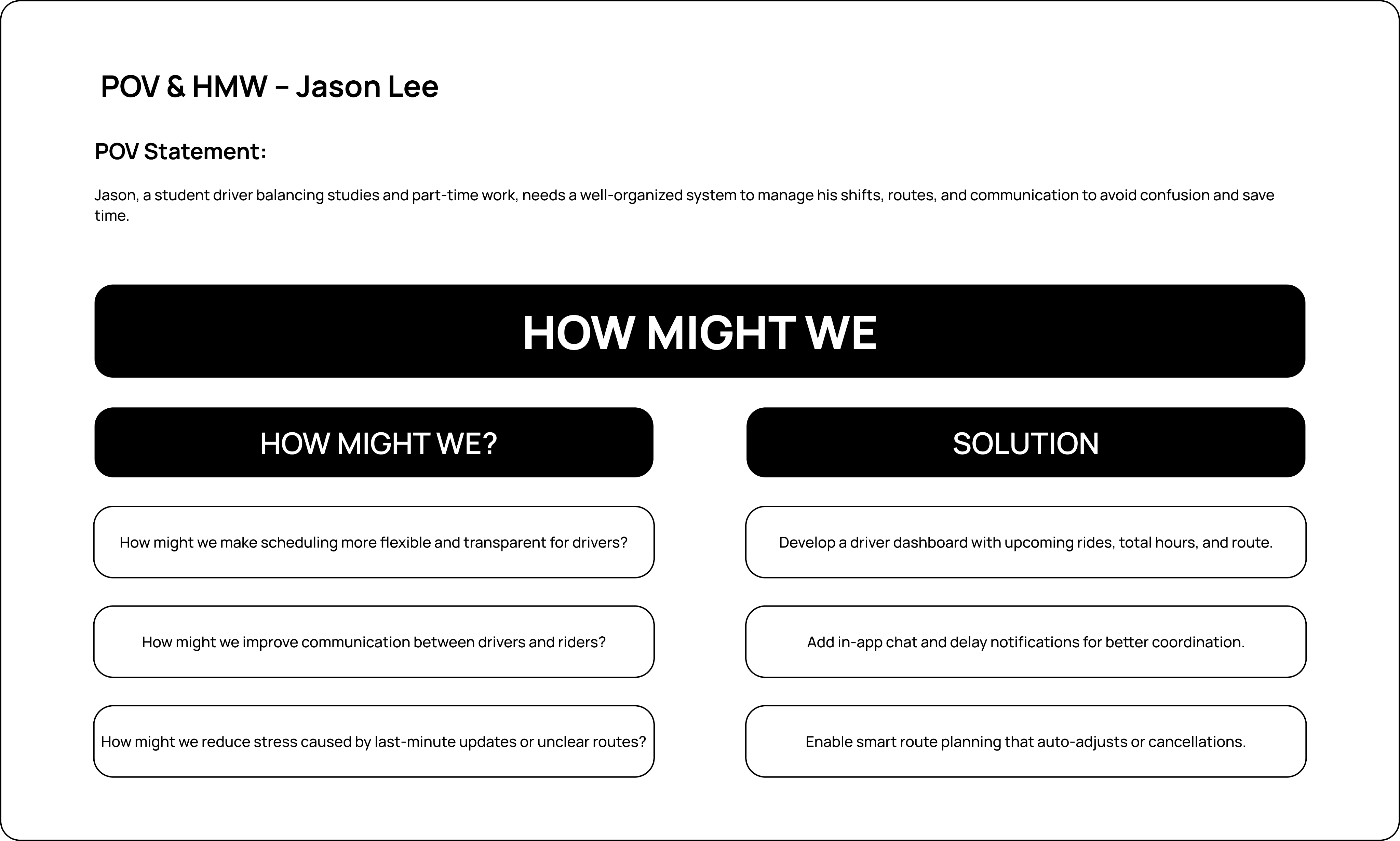
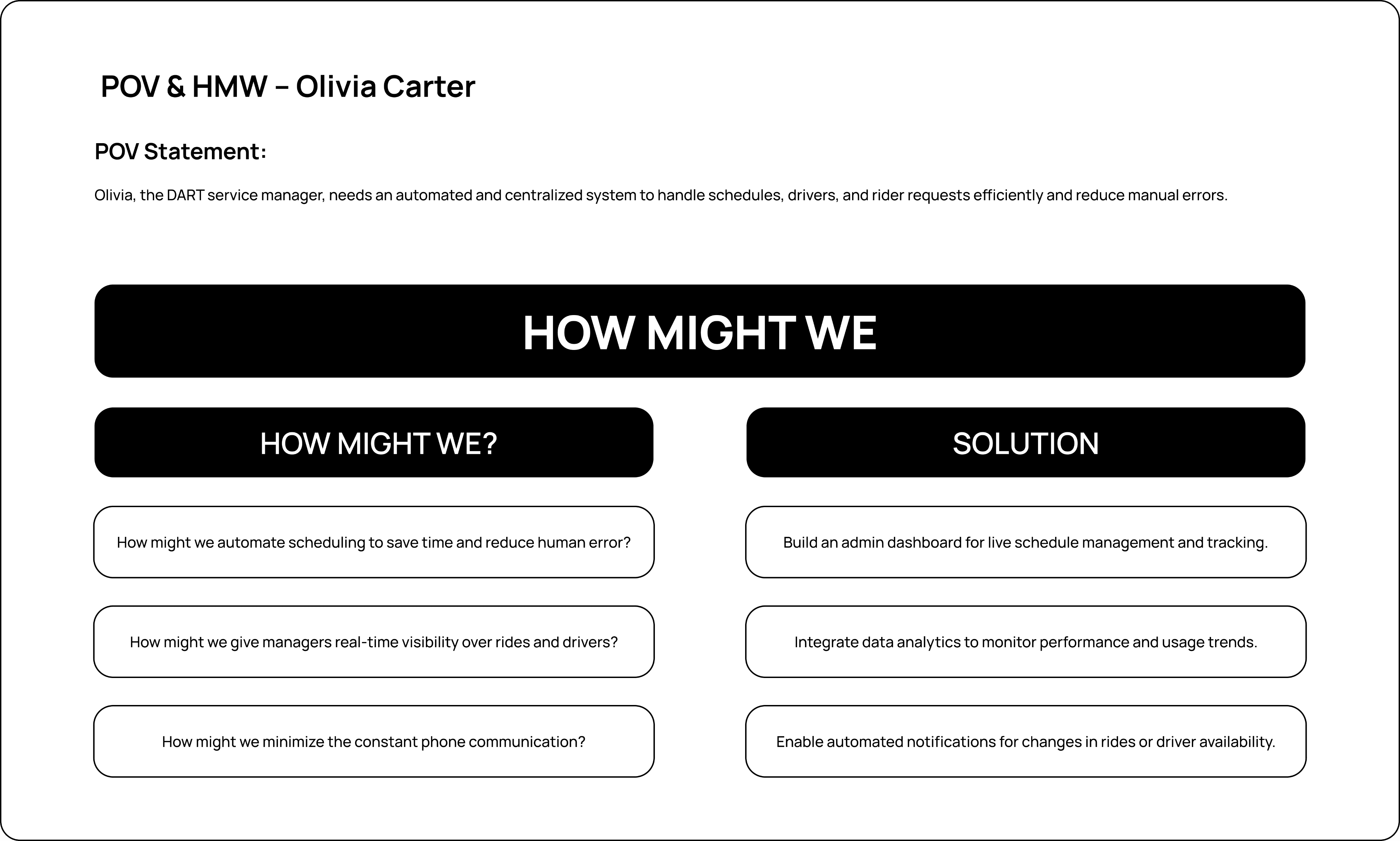
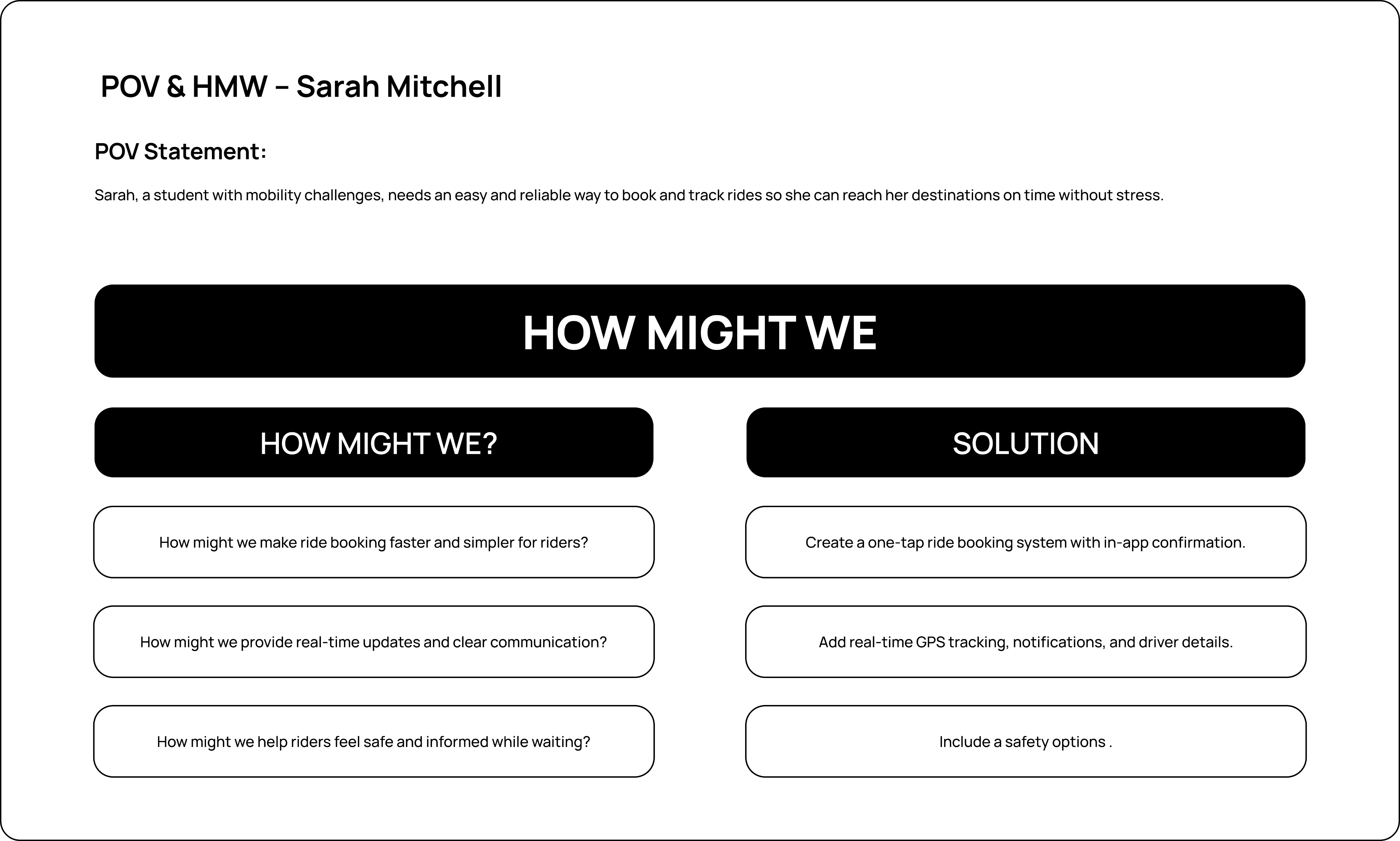
POV & HMW
Empathize
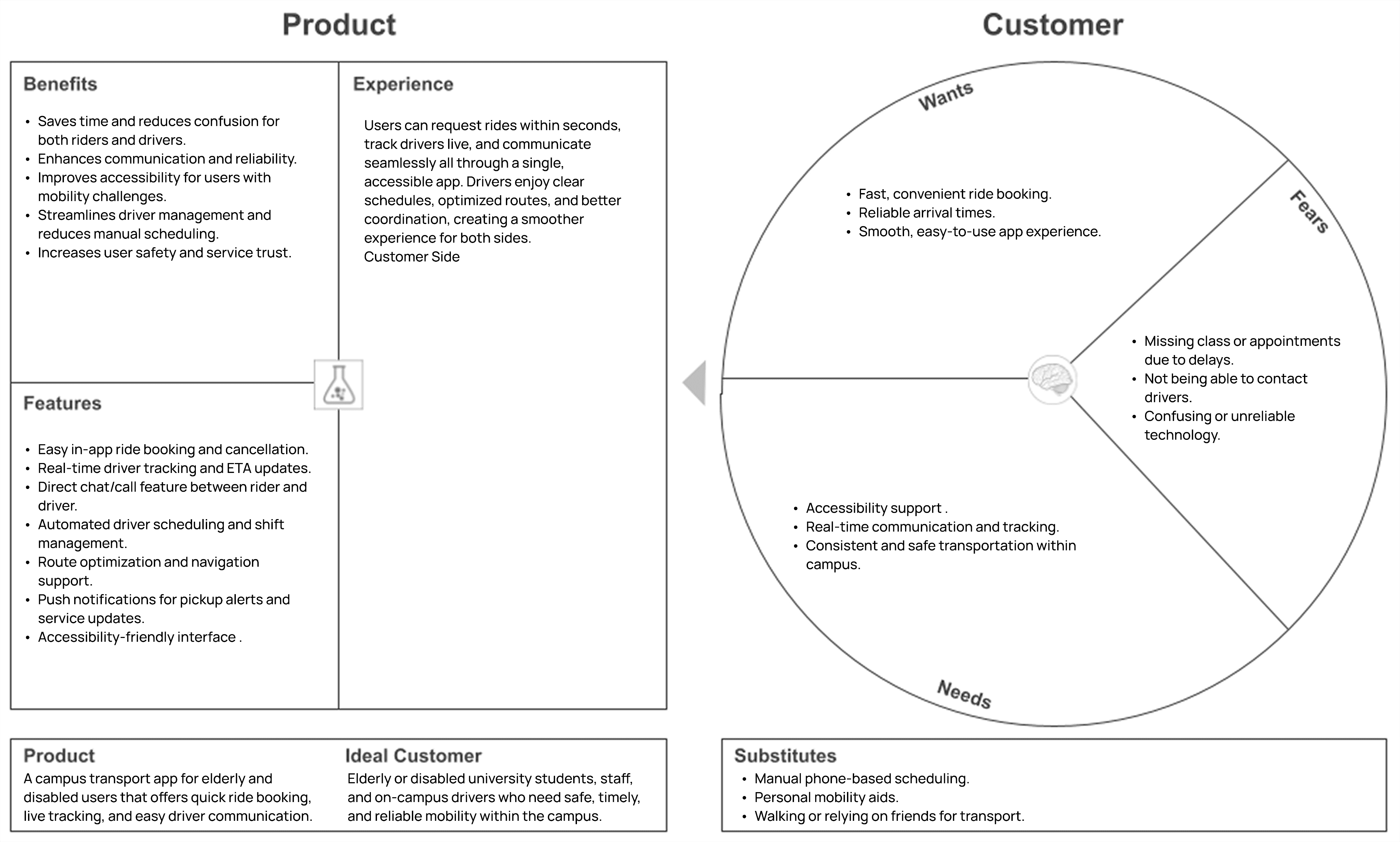
Value Proposition
User Personas
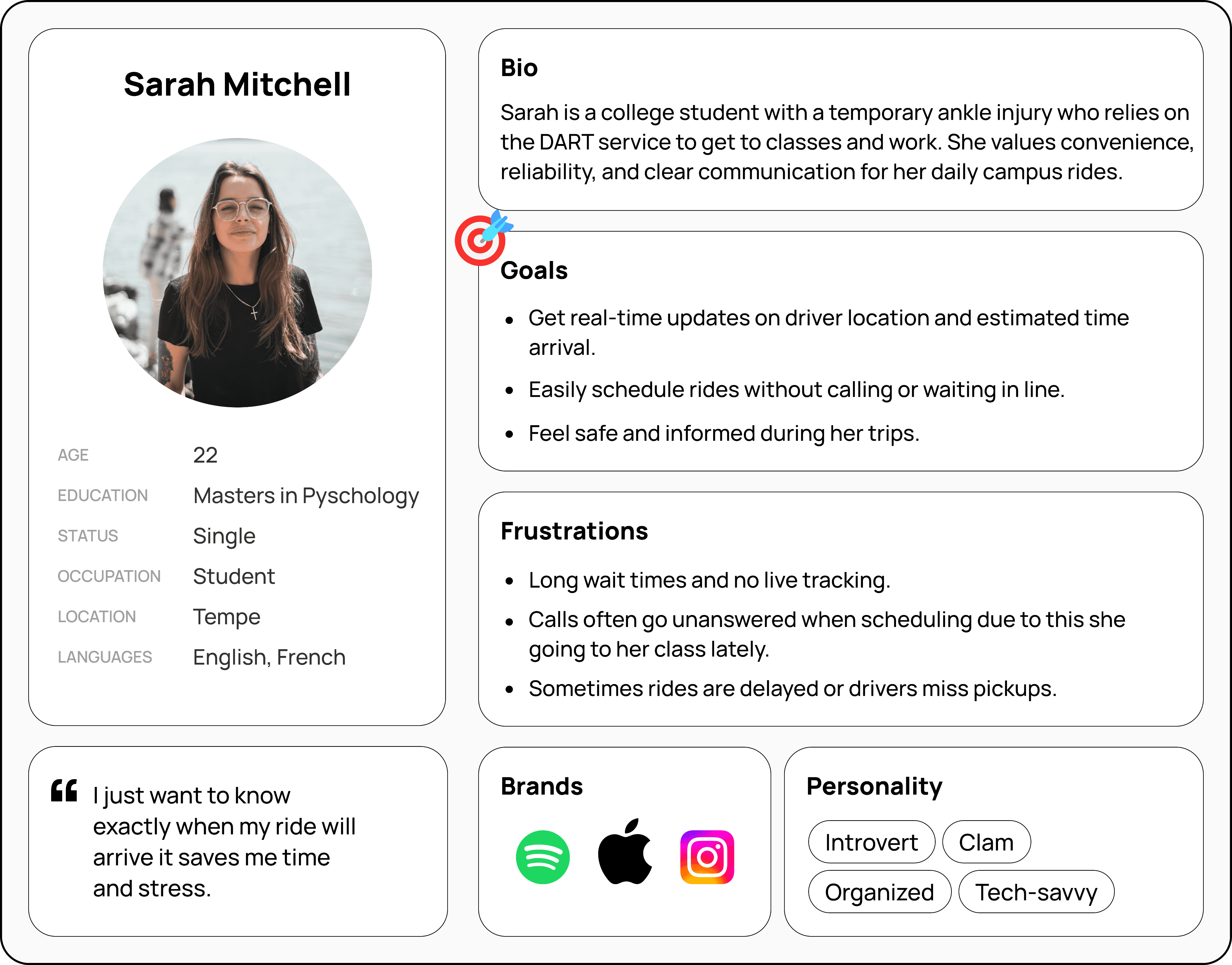
RIDER
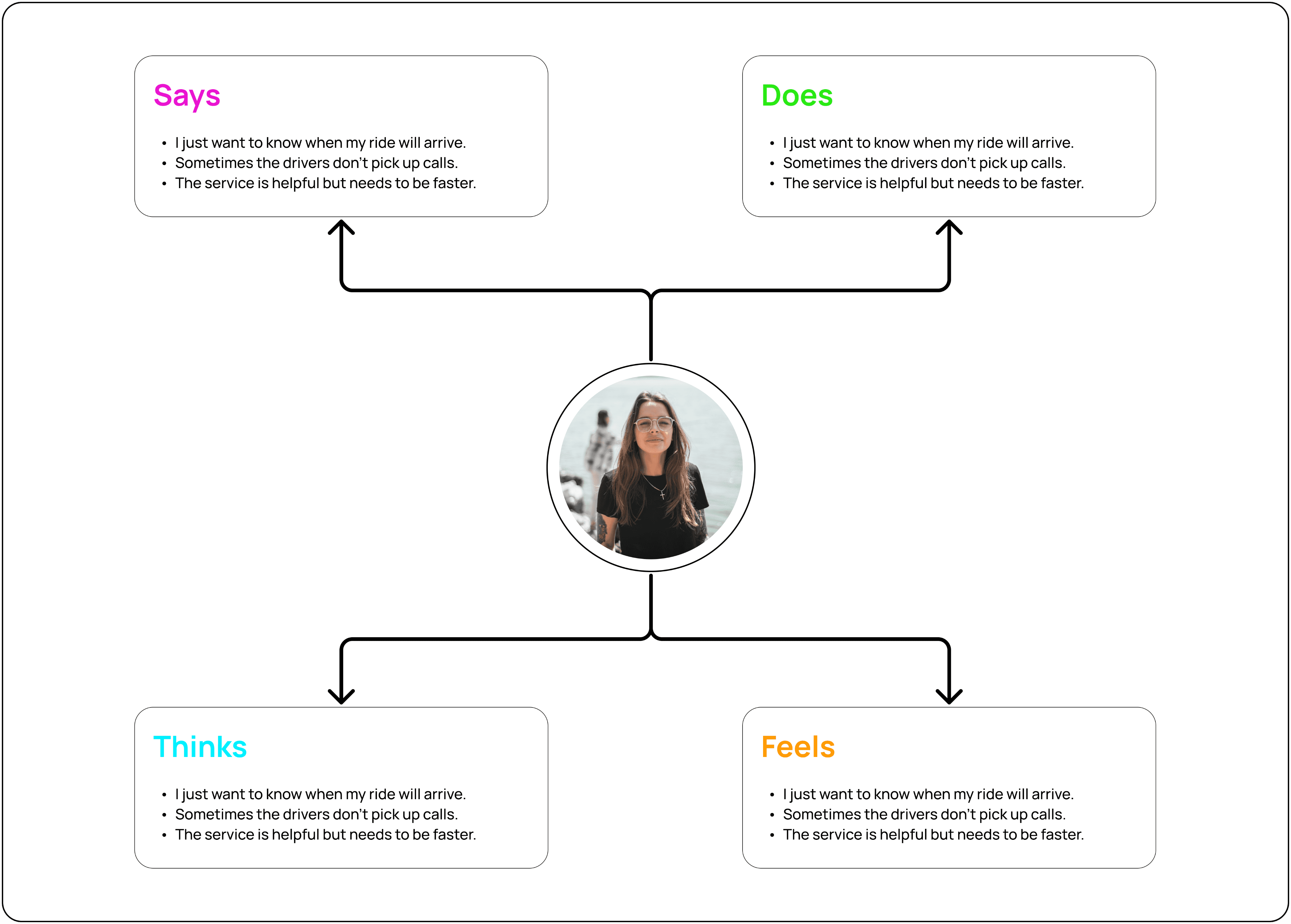
The app helps riders track their ride in real time, get accurate ETAs, and communicate easily with drivers for a reliable pickup experience.
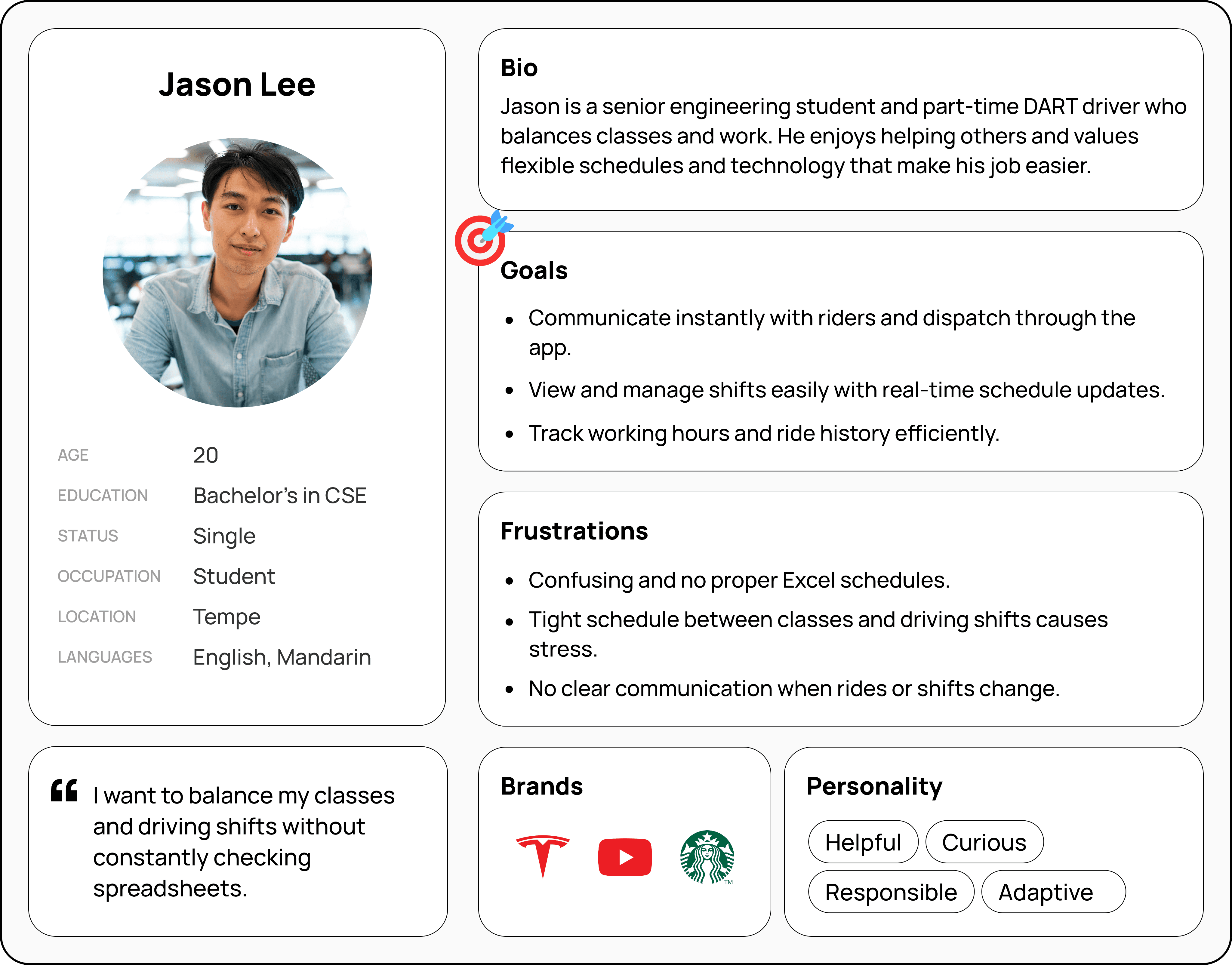
DRIVER
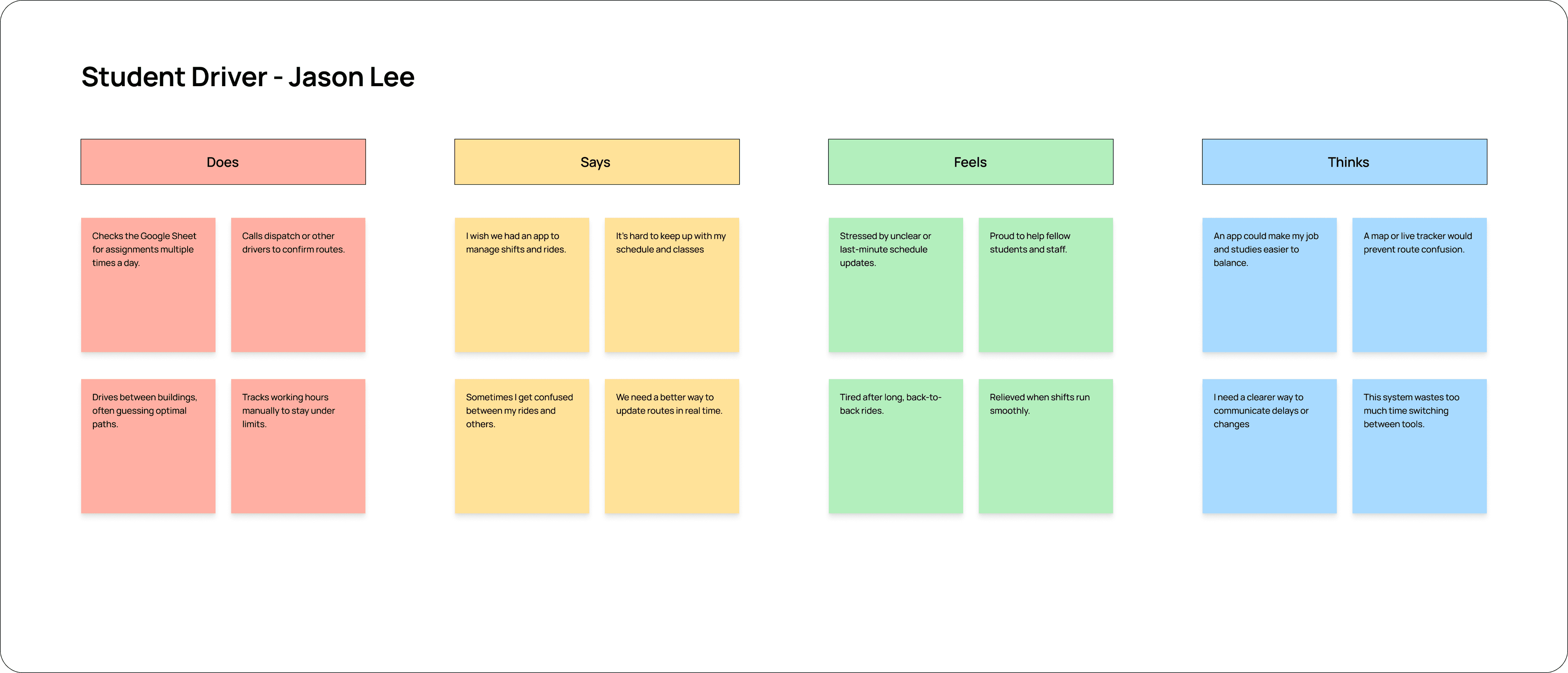
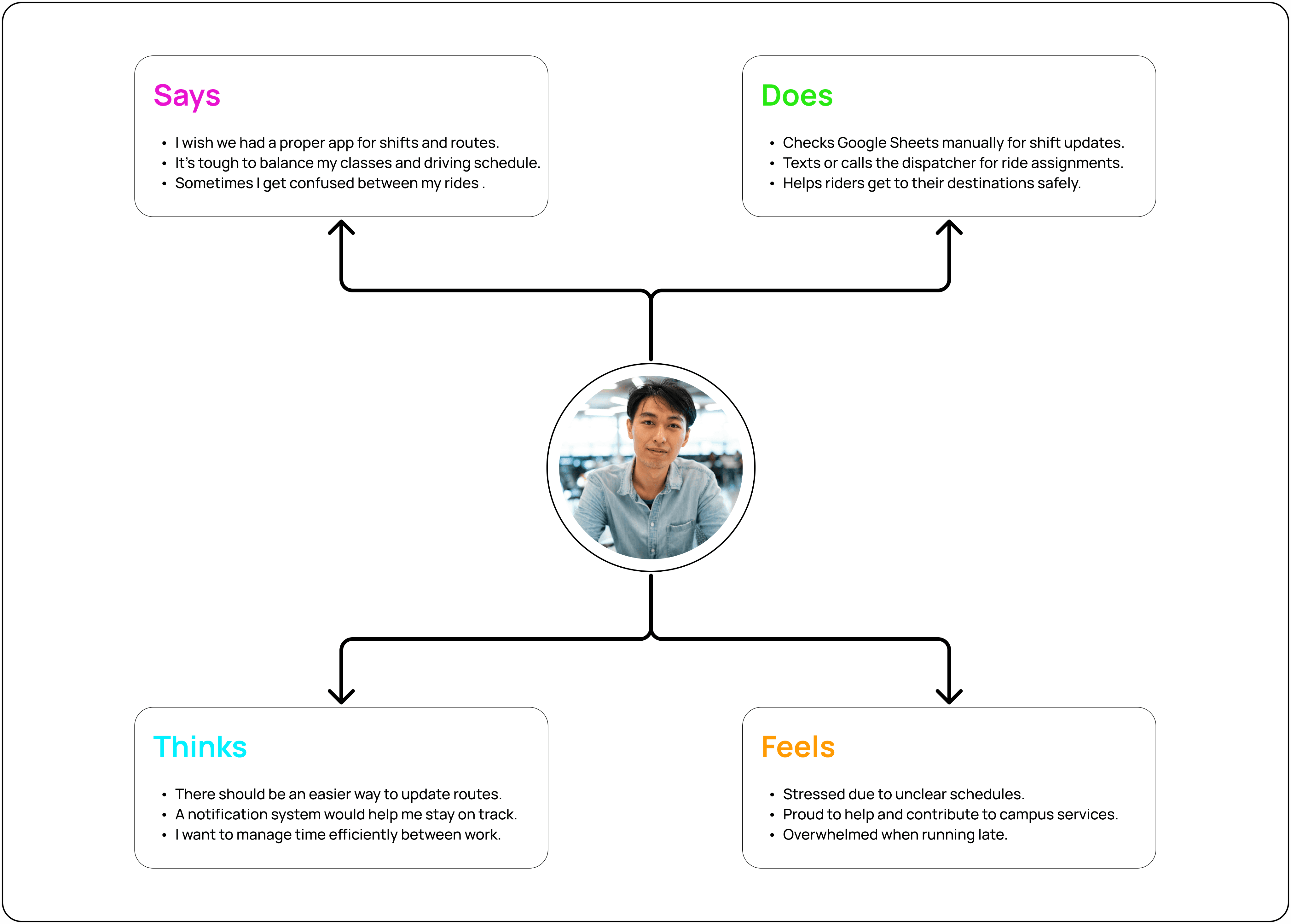
The app helps drivers manage shifts easily, track rides in real time, and communicate instantly with dispatch to reduce confusion and delays.
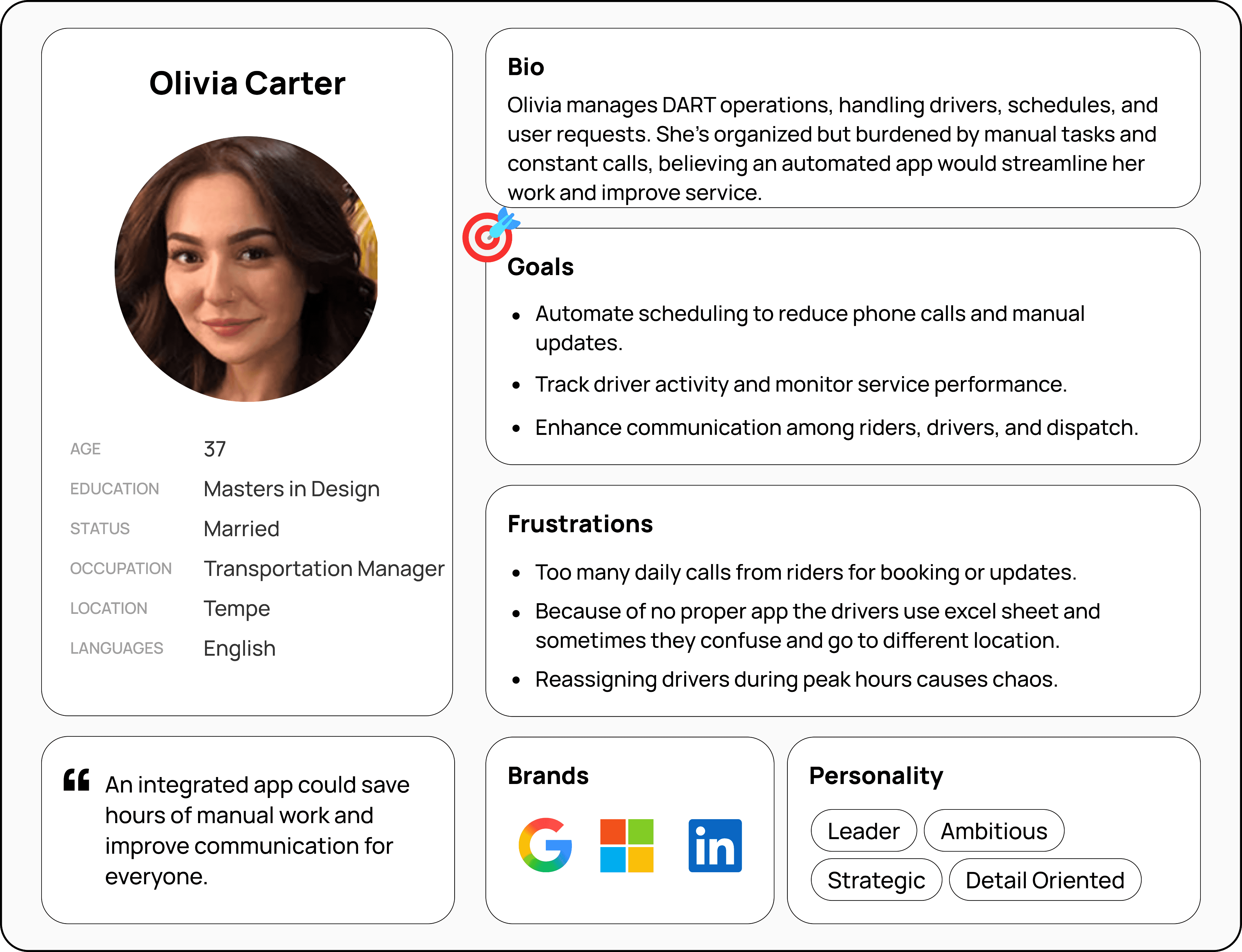
MANAGER
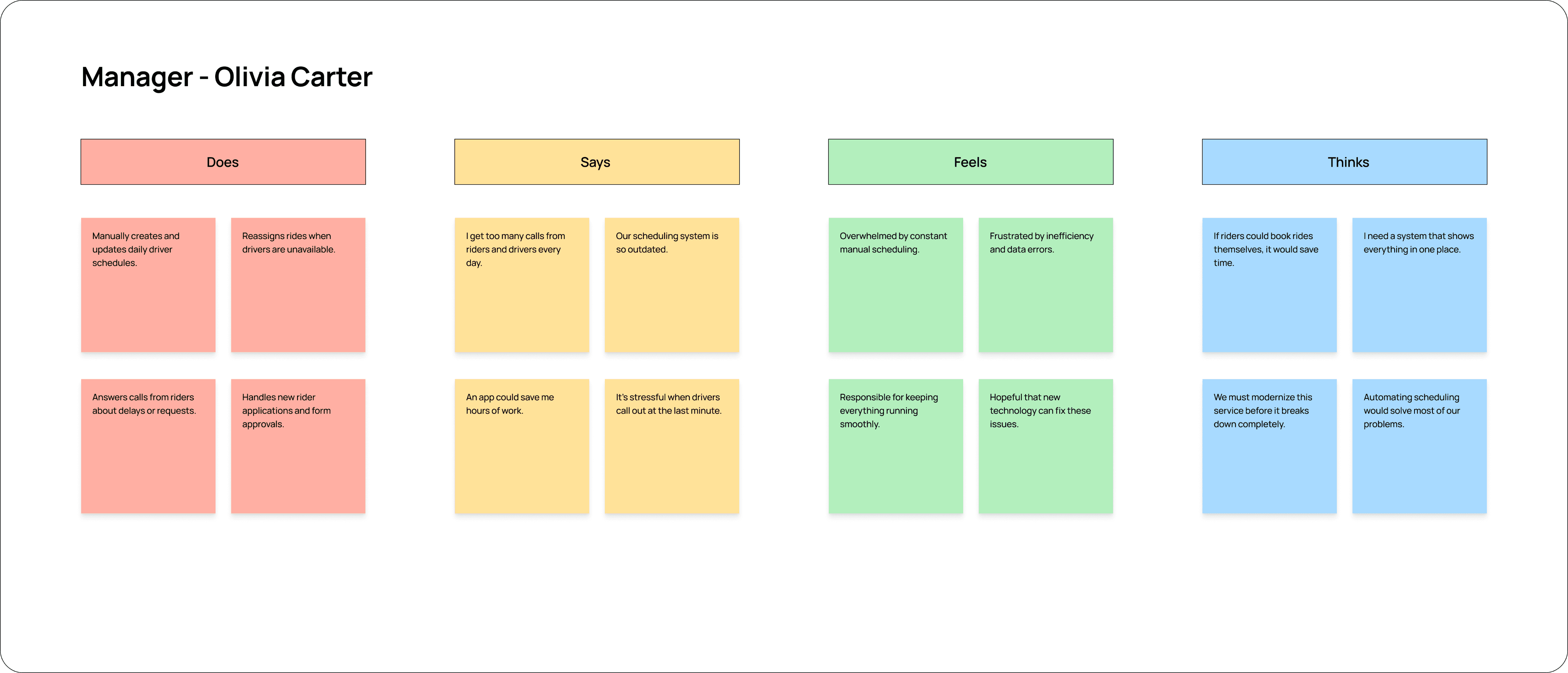
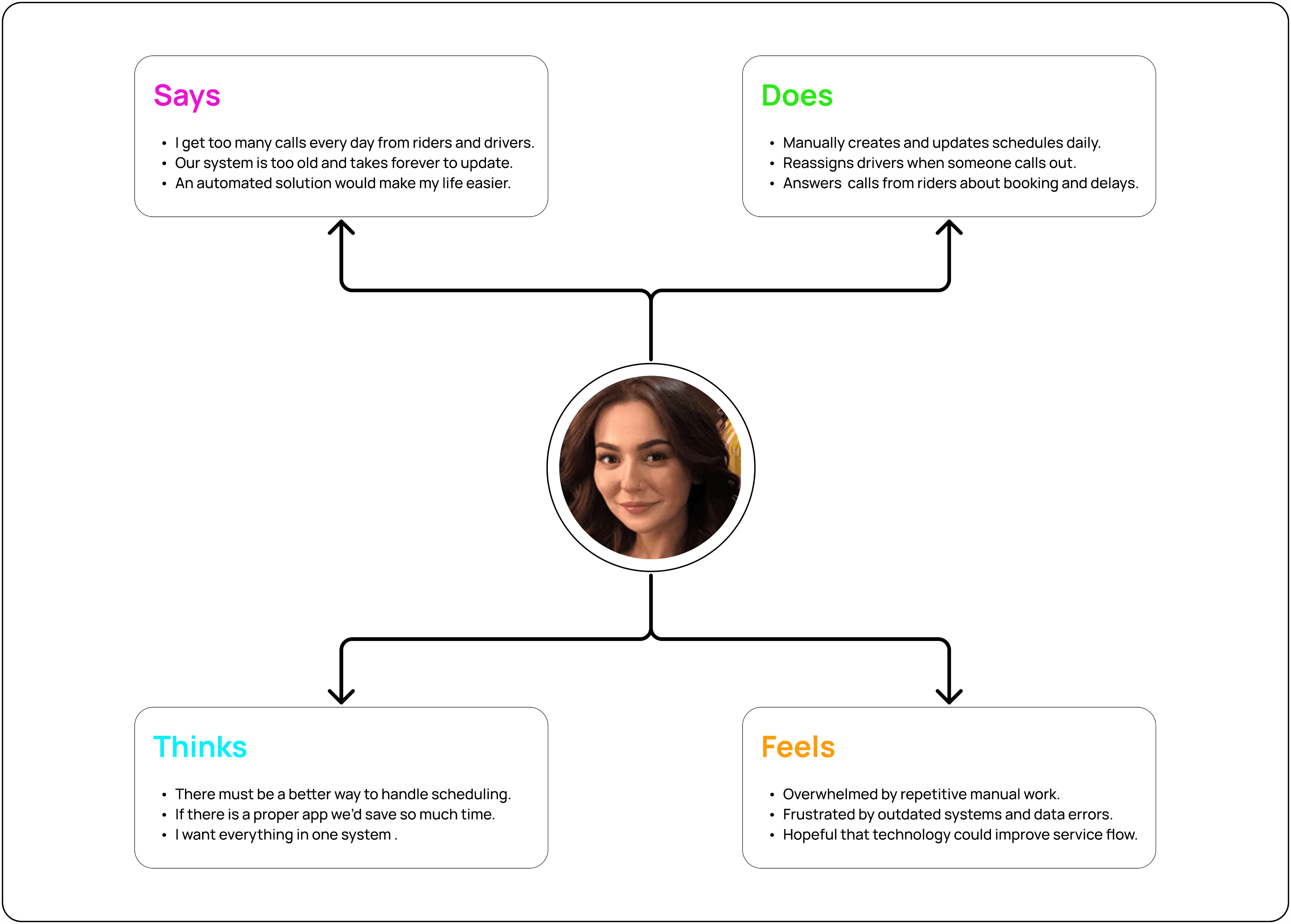
The app helps managers automate scheduling, track driver performance, and improve communication across riders, drivers, and dispatch for smoother operations.
Empathy Maps
DART (Disability Access and Resources Transportation) is a campus transportation service designed to support elderly, injured, and disabled users at Arizona State University. The existing system relied on phone calls and manual scheduling, leading to uncertainty, missed pickups, and operational inefficiencies.
This project reimagines DART as a real-time, accessibility-first mobile experience that enables ride booking, live driver tracking, and clear communication for riders, drivers, and managers. The redesign focuses on reducing uncertainty, improving coordination, and creating a safer, more predictable mobility experience across campus.
About the Project
Design Process
Empathize
Understanding rider, driver, and manager challenges through interviews and observation.
User Research
Define
Synthesizing insights to identify core problems in communication and scheduling.
Problem Framing
Ideate
Exploring solutions focused on tracking, messaging, and system clarity.
Concept Exploration
Prototype
Designing low- to high-fidelity screens for booking, tracking, and workflows.
Interactive Screens
Test
Evaluating usability issues and refining interactions through testing.
Usability Validation
Problem
DART relies on manual scheduling, phone calls, and static spreadsheets to manage campus transportation for elderly and disabled users. This creates uncertainty for riders, scheduling conflicts for drivers, and operational inefficiencies for managers. The lack of real-time tracking and communication leads to missed pickups, delays, and stress.
Objective
To design an accessible and easy-to-use digital system that simplifies ride booking, enables real-time communication, and provides clear visibility into ride status. The goal is to reduce uncertainty, improve coordination, and support safe, reliable campus mobility for all users.
Solution
A unified DART mobile app that connects riders, drivers, and managers through live ride tracking, automated scheduling, and in-app messaging. The solution replaces manual workflows with a real-time, accessibility-first experience that improves reliability, clarity, and overall service efficiency.
Work Overview
Timeline
August - December 2025
Responsibilities
User Research & Heuristic Evaluation
Accessibility Audit
Usability Testing
Low- to High-Fidelity Redesign
Prototyping
Disciplines
Accessibility Design
Human Computer Interaction
Tools
Figma
Chat GPT
TEAM
Preetham Kalle
DART- Disability Access and Resources Transportation
Designing an accessibility campus transportation experience application